Motion graphics no longer start only inside a complex timeline. AI tools now help creators animate images, generate short clips, build explainer videos, create social visuals, and test motion concepts much faster than before.
The important part is choosing the right tool. Some platforms are made for cinematic AI video, some are better for social media graphics, and others still work best for structured business animation. This guide breaks down the best AI tools for motion graphics based on where they actually fit in a creative workflow.
Quick Comparison of the Best AI Motion Graphics Tools
| Tool | Best For | Main Strength | Better For |
| Runway | AI video generation | Text-to-video and image-to-video motion | Creators, agencies, video editors |
| Adobe After Effects | Professional motion design | Deep timeline control and advanced compositing | Designers, studios, editors |
| Canva | Social motion graphics | Fast animated templates and brand visuals | Marketers, beginners, social teams |
| Pika | Quick AI animation | Short prompt-based video clips | Reels, TikTok, creative experiments |
| Luma Dream Machine | Cinematic AI video | Realistic camera movement and scene generation | Visual storytellers |
| Vyond | Business animation | AI-assisted explainers and training videos | Companies and educators |
| Animaker | Simple animated videos | Drag-and-drop character animation | Small teams and beginners |
| Kaiber | Music-led motion visuals | Stylized video generation and audio-reactive visuals | Musicians, artists, creators |
1. Runway
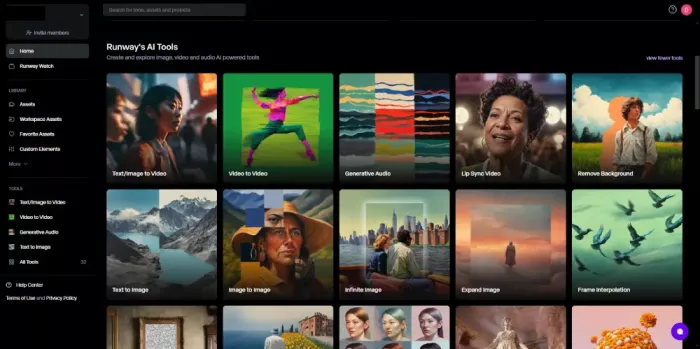
Best for: AI-generated motion clips, cinematic visuals, and image-to-video animation.
Runway is one of the strongest options for creators who want to generate motion from prompts, images, and visual references. It works more like a creative video generation platform than a traditional motion graphics editor. You can use it to turn still visuals into moving clips, create AI-generated scenes, test visual ideas, and produce short video assets for social media, ads creation, or campaign concepts.
Its value is highest in the early creative stage. Instead of manually building every movement with keyframes, creators can generate different visual directions and then refine the strongest result in a separate editor. For motion graphics, Runway is especially useful when you need animated backgrounds, scene concepts, abstract loops, or cinematic clips that would take much longer to produce manually.
Where it helps most
● Turning static images into short moving visuals.
● Creating AI-generated backgrounds, visual loops, and concept scenes.
● Testing campaign visuals before final editing.
Limitations / Caution Before Using
● It may not give exact control over timing, object movement, or frame-by-frame animation.
● Text, logos, faces, hands, and complex motion can still produce inconsistent results.
● Credits can run down quickly if you need repeated generations or higher-quality exports.
Pricing Snapshot
| Plan | Price | What to Know |
| Free | $0 | Includes limited one-time credits for testing. |
| Standard | Starts at $12/month when billed yearly | Better for regular individual use with monthly credits. |
Verdict: Runway is best for creators who want fast AI-generated motion ideas, but it works better as a generation tool than a full replacement for After Effects.
2. Adobe After Effects
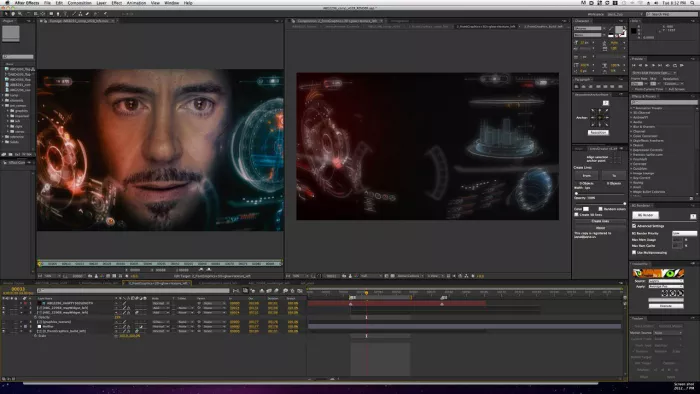
Best for: Professional motion graphics, compositing, title animation, and visual effects.
Adobe After Effects remains the strongest tool on this list for serious motion design. It is not an AI-first platform in the same way as Runway or Pika, but it is still the professional standard for animated typography, logo reveals, transitions, lower thirds, explainer graphics, compositing, tracking, and polished video effects. AI features from Adobe’s creative ecosystem can help with parts of the workflow, but the real strength is still manual control.
For motion graphics work, After Effects is where creators go when they need precision. It lets you control movement, timing, layers, masks, effects, camera movement, typography, and visual polish at a level most AI video generators cannot match. It is slower to learn, but it is far more reliable when the final output needs to match a brand, script, timeline, or client brief.
Where it helps most
● Creating polished title sequences, logo animations, and branded motion graphics.
● Building precise social ads, explainers, and video overlays.
● Combining AI-generated assets with professional editing control.
Limitations / Caution Before Using
● It has a steep learning curve compared with template-based tools.
● It requires more manual work than prompt-based AI video platforms.
● Performance can depend heavily on your system, project size, and plugin usage.
Pricing Snapshot
| Plan | Price | What to Know |
| Free trial | 7-day trial | Useful for testing the full app before subscribing. |
| After Effects single app | Starts around ₹733.96/month in India on annual billed monthly plan | Includes After Effects and Adobe Express Premium. |
Verdict: Adobe After Effects is the best choice when motion graphics need professional control, not just fast AI-generated movement.
3. Canva
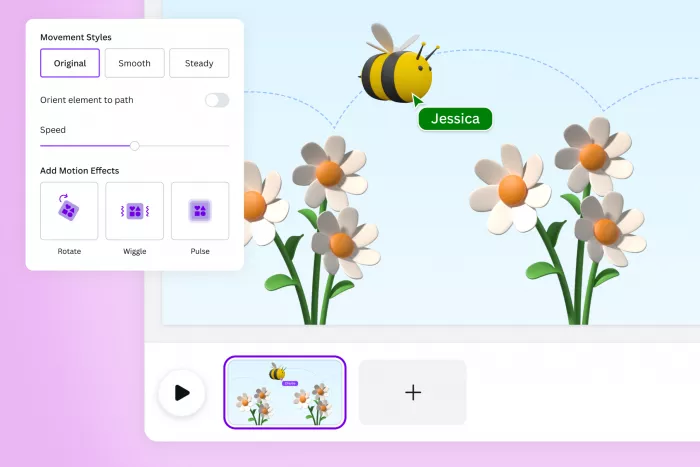
Best for: Social media motion graphics, animated posts, simple videos, and branded templates.
Canva is not a traditional motion graphics tool, but it is very useful for creators who need quick animated visuals without learning a complex editor. It works well for Instagram posts, reels covers, animated ads, presentation clips, YouTube graphics, brand announcements, and short promotional videos. The biggest benefit is that everything starts from templates, which reduces the time needed to design from scratch.
In a motion graphics workflow, Canva is best for lightweight animation rather than advanced visual effects. You can animate text, move elements, add transitions, use brand kits, resize content for different platforms, and export simple videos. It is especially useful for marketing teams that need consistent social graphics at scale.
Where it helps most
● Creating animated social posts and short promotional videos.
● Applying brand fonts, colors, and layouts quickly.
● Repurposing one design into multiple platform formats.
Limitations / Caution Before Using
● It is not built for advanced timeline animation or detailed motion control.
● Template-heavy designs can look similar if not customized properly.
● Some premium assets, AI tools, and brand features require a paid plan.
Pricing Snapshot
| Plan | Price | What to Know |
| Free | $0 | Good for basic design and simple animation. |
| Pro | Pricing varies by region, commonly around $12.99 to $15/month in many markets | Better for premium assets, brand tools, background remover, and more AI features. |
Verdict: Canva is best for fast, clean social motion graphics, but it is not the right tool for complex animation or professional compositing.
4. Pika
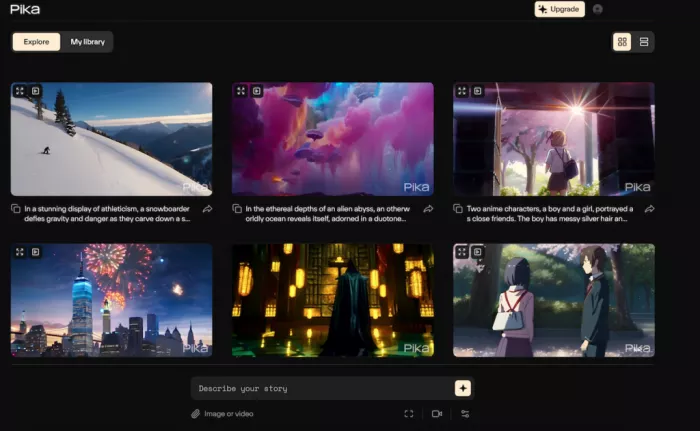
Best for: Quick AI-generated video clips from prompts and images.
Pika is a strong option for creators who want short, stylized motion clips without building a video manually. It can generate videos from text prompts, animate images, and create fast visual experiments for social media. For motion graphics, Pika is useful when the goal is not frame-perfect editing, but quick creative output that can be used in instagram reels, concept videos, and visual storytelling.
The platform is especially useful for creators who want to test ideas quickly. You can start with a prompt or image, generate a short clip, and then choose whether to polish it elsewhere. It fits well into workflows where speed and creativity matter more than detailed production control.
Where it helps most
● Creating short AI clips for TikTok, Reels, and YouTube Shorts.
● Animating still images into quick visual scenes.
● Testing surreal, stylized, or playful motion ideas.
Limitations / Caution Before Using
● It is better for short clips than long-form edited videos.
● Motion consistency can vary across generations.
● Credit usage becomes important if you test many prompt variations.
Pricing Snapshot
| Plan | Price | What to Know |
| Free | $0 | Includes limited monthly video credits. |
| Basic | Starts at $8/month when billed yearly | Entry paid tier with more credits and commercial use. |
Verdict: Pika is best for creators who need fast AI motion clips, especially for short-form video experiments.
5. Luma Dream Machine
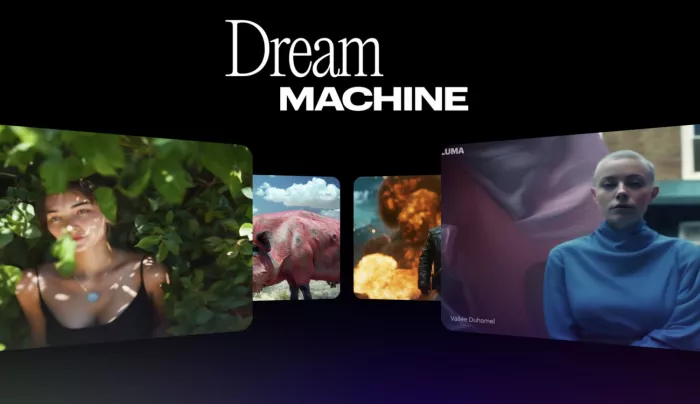
Best for: Cinematic AI motion, realistic camera movement, and visual storytelling.
Luma Dream Machine is useful when the goal is more cinematic motion rather than simple animated graphics. It can generate video from prompts and images, with a strong focus on camera movement, visual depth, and realistic scene motion. For motion graphics, it works well when creators need atmospheric visuals, short concept shots, product-style scenes, or background motion with a more film-like feel.
Its strength is visual realism. Luma can help creators build scenes that feel more like camera-based video than flat graphic animation. That makes it useful for creators, editors, and marketers who want AI-generated footage that can sit inside a larger video project.
Where it helps most
● Creating cinematic scene ideas and visual mood clips.
● Generating camera movement from still images.
● Producing atmospheric backgrounds for campaigns or creative edits.
Limitations / Caution Before Using
● It is not designed for precise typography or logo animation.
● Complex scenes may still need several retries.
● Higher-resolution and commercial-ready workflows usually require paid plans.
Pricing Snapshot
| Plan | Price | What to Know |
| Free | $0 | Limited usage, often best for testing. |
| Plus | Starts at $29.99/month on web | Includes more credits and stronger export options. |
Verdict: Luma Dream Machine is best for cinematic AI motion, not for traditional brand animation or detailed graphic timelines.
6. Vyond
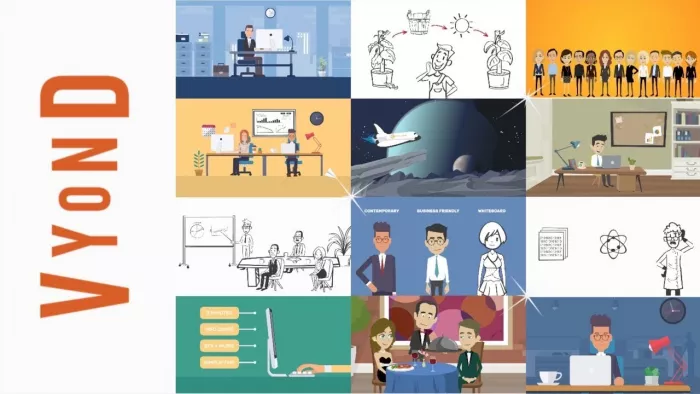
Best for: Business explainers, training videos, internal communication, and animated presentations.
Vyond is different from most tools in this list because it focuses on structured business animation. It is useful for companies that need explainer videos, HR training, sales enablement clips, onboarding videos, compliance content, and educational animation. Its AI tools can help generate videos from prompts, documents, scripts, or URLs, which makes it practical for non-design teams.
For motion graphics, Vyond works best when clarity matters more than visual experimentation. It gives users access to characters, scenes, voice tools, avatars, and structured animation templates. This makes it easier to create professional business videos without hiring a full animation team.
Where it helps most
● Turning scripts, documents, or training material into animated videos.
● Creating character-based business explainers.
● Building repeatable internal communication videos.
Limitations / Caution Before Using
● It is more business-focused than artistic or cinematic.
● The pricing is higher than many creator-focused animation tools.
● Visual style can feel template-based if scenes are not customized.
Pricing Snapshot
| Plan | Price | What to Know |
| Free trial | Available | Good for testing before paying. |
| Starter | $99/month or $699 billed annually | Includes AI tools and monthly credits. |
| Professional | $199/month or $1,199 billed annually | Adds collaboration tools, Shutterstock assets, translation, and more credits. |
Verdict: Vyond is best for businesses that need clear animated explainers, not creators looking for cinematic AI video effects.
7. Animaker
Best for: Beginner-friendly animated videos, character scenes, and simple explainer content.
Animaker is a practical option for users who want animated videos without learning After Effects. It uses a drag-and-drop workflow with characters, templates, icons, scenes, and video assets. For motion graphics, it is useful for explainer videos, YouTube visuals, educational clips, simple brand animations, and presentation-style videos.
The biggest advantage is accessibility. Small businesses, students, creators, and non-design teams can build animated content without starting from a blank canvas. It does not offer the same level of precision as professional tools, but it is easier to use for quick structured videos.
Where it helps most
● Creating simple animated explainers and educational clips.
● Using prebuilt characters, icons, scenes, and transitions.
● Producing basic brand or social videos without advanced editing skills.
Limitations / Caution Before Using
● It may feel limited for advanced motion design.
● Template-based assets can look familiar if overused.
● Export quality, premium assets, and download limits depend on the plan.
Pricing Snapshot
| Plan | Price | What to Know |
| Free | $0 | Useful for basic testing with limitations. |
| Basic | Starts at $10/month when billed yearly | Better for occasional animated video creation. |
Verdict: Animaker is best for beginners and small teams that need simple animated videos without a professional design workflow.
8. Kaiber
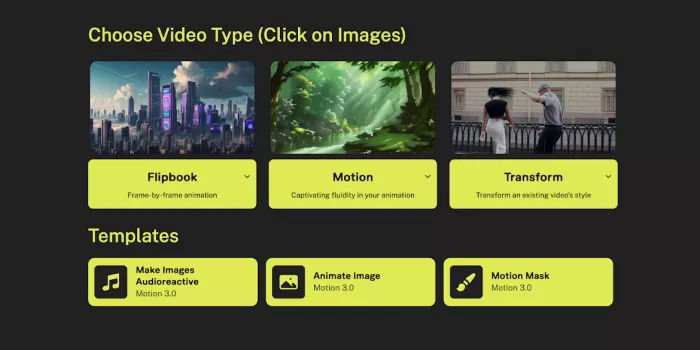
Best for: Music visuals, stylized motion clips, and creative AI animation.
Kaiber is built for artists, musicians, and creators who want stylized videos from prompts, images, audio, or existing footage. It is especially useful for music visuals, album teasers, social clips, abstract animation, and creative video loops. Unlike business animation tools, Kaiber leans more toward expressive visuals and mood-driven motion.
For motion graphics, Kaiber works best when the project is artistic rather than corporate. Its audio-reactive and generative video features make it useful for creators who want visuals that feel connected to sound, style, and atmosphere. It is less about exact control and more about generating visually engaging motion.
Where it helps most
● Creating music-synced videos and visualizers.
● Turning images, prompts, or footage into stylized motion.
● Producing creative clips for artists, musicians, and social creators.
Limitations / Caution Before Using
● It is not ideal for exact brand animation or detailed typography.
● Results can depend heavily on the input image, prompt, and selected style.
● Commercial use and higher credit limits require paid plans.
Pricing Snapshot
| Plan | Price | What to Know |
| Starter | Around $10/month | Entry plan for basic creation. |
| Creator | $29/month or $23/month when billed annually | Includes more credits and commercial use rights. |
| Pro | $99/month or $79/month when billed annually | Built for higher-volume creators and studios. |
Verdict: Kaiber is best for artists and creators who want stylized motion visuals, especially for music-led content.
How to Choose the Right AI Motion Graphics Tool
The best tool depends on what kind of motion graphics you actually need. A creator making short AI clips does not need the same tool as a brand designer building a logo reveal or a company producing training videos.
| Use Case | Best Tools |
| AI-generated cinematic clips | Runway, Luma Dream Machine |
| Professional motion graphics | Adobe After Effects |
| Social media animated visuals | Canva, Pika |
| Business explainers and training videos | Vyond, Animaker |
| Music visuals and stylized animation | Kaiber |
If you need speed, start with Runway, Pika, Canva, or Luma. If you need control, After Effects remains the better choice. If you need business-friendly animation, Vyond and Animaker are more practical than cinematic AI generators.
Limitations to Know Before Using AI Motion Graphics Tools
AI motion graphics tools can save time, but they do not remove the need for creative judgment. The biggest limitation is control. Prompt-based video tools can create impressive visuals, but they may struggle with exact timing, consistent characters, readable text, accurate logos, and repeatable brand motion.
Pricing is another important issue. Many AI video tools use credits, and those credits can disappear quickly when you test multiple versions. A free plan may be enough for experimenting, but regular publishing usually requires a paid plan. Before choosing a tool, check whether the plan includes commercial use, watermark-free exports, HD or 4K output, and enough credits for your workflow.
There is also a difference between AI generation and motion design. Runway, Pika, Luma, and Kaiber are strong for generating moving visuals. After Effects is stronger for controlling motion. Canva, Vyond, and Animaker are better for structured content. The best workflow may involve using one AI tool for generation and another editor for final polish.
Final Verdict
The best AI tool for motion graphics depends on whether you need speed, control, or structure. Runway and Luma Dream Machine are strong for cinematic AI-generated motion, while Pika is better for quick short-form experiments. Canva is the easiest option for social media motion graphics, and Kaiber fits creators who want stylized music visuals.
For professional work, Adobe After Effects is still the most reliable tool because it gives creators the deepest control over timing, layers, effects, typography, and final polish. For business videos, Vyond and Animaker are more practical because they turn scripts, training material, and explainers into structured animated content.
If the goal is fast creative output, start with an AI video generator. If the goal is polished brand work, use After Effects. If the goal is repeatable content for marketing, education, or internal communication, Canva, Vyond, and Animaker will usually be easier to manage.



Comments