Instagram growth rarely breaks because of a lack of ambition. More often, it breaks because the system behind the account is too manual. Ideas take too long to turn into posts, Reels require more time than the creator can spare, captions get written at the last minute, DMs pile up, and performance data arrives too late to influence the next piece of content.
That is why AI tools have become so useful on Instagram. The best ones do not “hack” the algorithm or magically add followers. What they actually do is remove friction from the parts of the workflow that usually slow growth down: content production, visual consistency, posting discipline, engagement, and performance tracking.
Where AI changes Instagram the most
The smartest way to evaluate AI tools for Instagram is not by asking which one has the most features. The more useful question is which growth problem each tool solves. On most accounts, the pressure points are easy to recognize: content slows down, branding becomes inconsistent, posting becomes irregular, comments and DMs become unmanageable, and analytics stay too shallow to support real decisions.
That is why the strongest tools tend to fall into five broad roles. Some help create content faster, some make the page look sharper, some handle scheduling, some automate interaction, and some help measure what the audience is responding to.
| Growth role | What it improves | Tools that fit |
| Content creation | Reels, captions, post ideas, hashtags, carousels | InVideo AI, Predis.ai, Canva |
| Publishing | Timing, scheduling, consistency | Later, Tailwind |
| Engagement | DM automation, comment-to-message flows | ManyChat |
| Listening | Brand mentions and conversations beyond your own posts | Brand24 |
| Measurement | Analytics, reporting, performance patterns | Iconosquare |
1. Content and creative speed
The first place AI tends to have the biggest effect is content volume. Accounts that rely heavily on Reels often slow down because short-form video takes real time to produce, especially when the creator is also scripting, editing, captioning, and packaging everything alone.
InVideo AI is strongest in that exact situation. It turns prompts, scripts, or rough ideas into vertical videos with stock assets, transitions, captions, and voiceover support, which makes it useful for brands, educators, and faceless accounts trying to maintain a steady Reel output. Its biggest strength is speed, but it still works best when the user customizes the output instead of publishing everything in default form, because overuse of stock-style AI visuals can flatten brand identity over time.

Predis.ai solves a different but equally common problem: not knowing what to post next. It can generate content ideas, captions, hashtags, and even visual post concepts, which makes it one of the more practical “all-in-one” content tools for Instagram creators and small businesses. Its advantage is that it removes the blank-page problem, but its weakness is that unedited AI content can start to feel generic very quickly, especially in crowded niches.
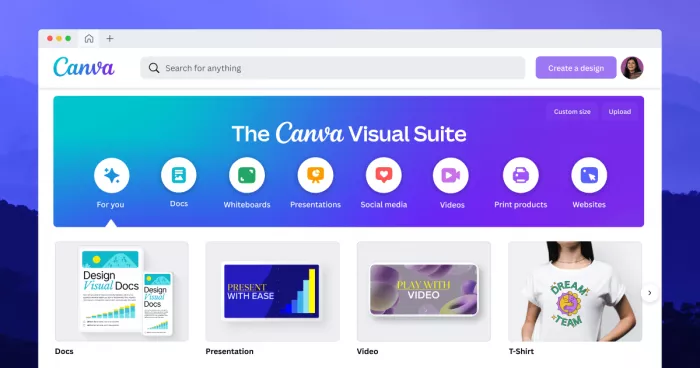
Canva belongs in this same content layer, but from the design side. Its AI-assisted tools help turn ideas into carousels, Stories, feed graphics, and light video assets while keeping typography, colors, and layout more consistent than most fast-moving social accounts manage on their own. That makes it valuable not because it “does AI” in a flashy way, but because it protects brand consistency while speeding up production.
| Tool | Main value for content | Main risk | Pricing |
| InVideo AI | Faster Reel and short-form video production | Can look repetitive if not customized | Paid plans start from $17/month on annual billing |
| Predis.ai | Ideas, captions, hashtags, post generation in one place | Output can feel generic without editing | Public pricing sources show entry plans from $19/month, while updated help docs list Core at $32/month |
| Canva | Fast branded visuals for posts, Stories, and carousels | Template-heavy use can reduce originality | Free plan; Pro commonly listed at $15/month, with some sources showing $12.99/month |
2. Posting discipline and consistency
A surprising number of Instagram accounts do not fail because the content is weak. They fail because good content is posted irregularly, too late, or without any rhythm the audience can learn to expect. That is where scheduling tools quietly become growth tools.
Later is especially useful for creators and brands that already have content but struggle to publish it in an organized way. It brings structure to posting through calendar planning, grid previews, and timing support, which helps turn random publishing into a consistent habit. It does not replace a content tool, but it makes content systems far more reliable once the account starts operating at scale.
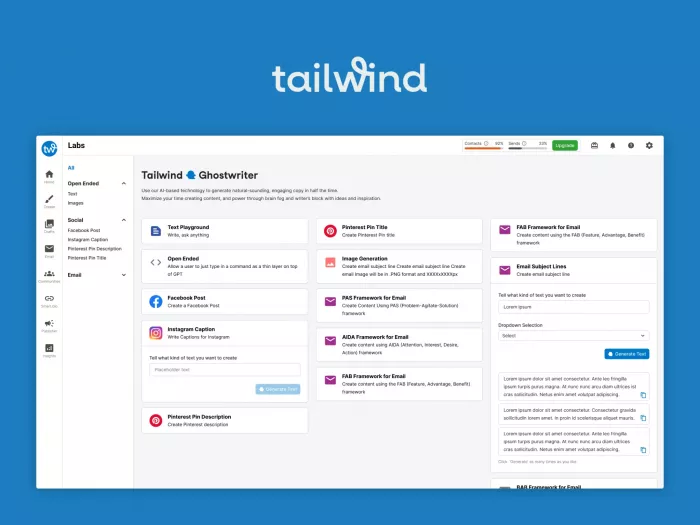
Tailwind plays a related role, but with more emphasis on repurposing and multi-platform efficiency. It is particularly useful for brands, educators, and bloggers who do not want every Instagram asset to be created from scratch and who benefit from stretching a single idea across more than one social channel. It is less about chasing trend-driven Reels and more about keeping evergreen content moving through a broader publishing system.
| Tool | Main value for publishing | Best fit | Pricing |
| Later | Scheduling, visual planning, posting consistency | Active creators and brands with regular content output | Entry plans commonly start around $25/month |
| Tailwind | Repurposing and multi-platform scheduling | Bloggers, educators, evergreen-content brands | Public comparison data cites pricing from about $14.99/month |
3. Engagement that scales
Growth brings another kind of pressure: more comments, more DMs, and more audience intent that needs a reply before it goes cold. This is where ManyChat becomes one of the most commercially useful tools in the Instagram ecosystem.
ManyChat automates comment-triggered and keyword-based DMs, which means a post can do more than collect likes. It can send a guide, book a lead, deliver a coupon, or start a funnel automatically the moment someone engages with a trigger word. That makes it especially valuable for coaches, product sellers, service businesses, and creators with offers that depend on direct-response messaging.
Its weakness is not technical but strategic. Poorly designed automations feel robotic and intrusive very quickly, so the tool works best when the offer is genuinely relevant and the message flow feels like a continuation of the post rather than a bait-and-switch.
| Tool | Main value for engagement | Main caution | Pricing |
| ManyChat | Turns comments and DMs into automated conversations and lead flows | Bad setup can feel spammy | Free plan; Pro starts at $15/month, with higher advanced tiers available |
4. Insight, listening and smarter decisions
At a certain point, the real challenge is not posting more. It is understanding what to repeat, what to cut, and what the audience is actually reacting to beyond surface metrics. That is where analytics and listening tools start to matter more than content generators.
Iconosquare helps answer the internal questions. It goes deeper into Instagram analytics and reporting, helping teams understand performance patterns over time instead of judging content one post at a time. This matters because serious growth usually comes from repetition of what works, not random experimentation forever.
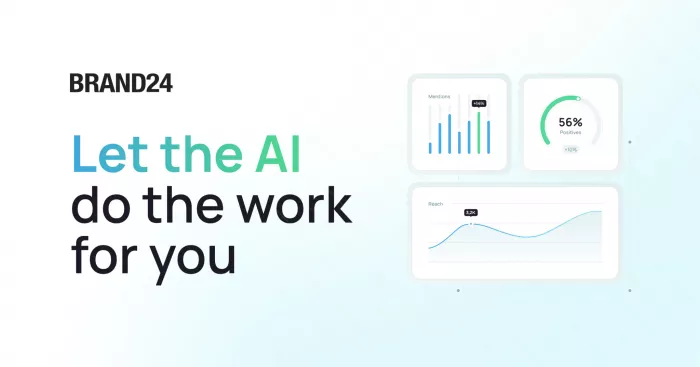
Brand24 helps answer the external questions. Instead of only watching what happens inside your own account, it tracks mentions, sentiment, and keyword conversations across the wider social web, which becomes more valuable as brand awareness rises. It is a better fit for growing brands and agencies than for very early-stage creators, largely because the pricing and monitoring depth make more sense once there is real market conversation to track.
| Tool | Main value for insight | Best for | Pricing |
| Iconosquare | Advanced Instagram analytics and reporting | Serious creators, businesses, agencies | Public comparisons place entry pricing around $49/month |
| Brand24 | Brand mention monitoring and sentiment tracking | Agencies, brands, campaigns with market visibility | G2 lists paid plans from $199/month; older third-party reviews cite lower entry tiers |
Which combination makes the most sense?
Not every account needs all eight tools. In most cases, the best stack depends on what is currently blocking growth. If the account struggles to produce content at all, the strongest starting combination is usually Predis.ai, Canva, and Later, because that covers ideation, visuals, and publishing discipline in one manageable system.
If Reels are the main growth engine, InVideo AI becomes more important because it makes frequent short-form video much easier to sustain. If the account is actively selling or generating leads through Instagram, ManyChat becomes one of the highest-leverage additions because it turns engagement into direct business action instead of leaving everything trapped in the inbox.
For agencies, larger brands, and teams with enough content volume to learn from patterns, Iconosquare and Brand24 add the performance and listening layers that turn Instagram from a posting platform into a measurable marketing channel.
The strongest picks overall
For most creators and small businesses, Predis.ai stands out as the most practical starting point because it solves the most common daily pain: figuring out what to post, how to write it, and how to stay consistent without spending hours every day on Instagram. Canva follows closely because it helps transform that content into a clean, branded visual identity that makes the account feel intentional rather than improvised.
For accounts that depend heavily on reach through Reels, InVideo AI is the strongest specialized tool in the group because it makes video production far more sustainable. For accounts where monetization matters, ManyChat arguably creates the clearest business lift because it connects Instagram engagement directly to leads, messages, and conversions.
The most balanced Instagram growth stack in 2026 is Canva for visual consistency, Predis.ai for content planning and generation, Later for publishing discipline, ManyChat for automated engagement, and Iconosquare for learning what is actually working over time. That combination covers the full cycle of growth: creation, packaging, distribution, interaction, and measurement.



Comments