AI video editing tools are no longer just about adding captions or trimming clips faster. Some tools now edit from transcripts, some turn long videos into short clips, some generate visuals from prompts, and others help teams produce polished marketing or training videos without a full editing department.
The right tool depends on the kind of video you make. A YouTuber, a course creator, a social media manager, and a business training team will not need the same editing workflow. This guide breaks down the 10 best AI tools for video editing by where they fit, what they actually help with, and who should choose them.
Quick Comparison: Best AI Video Editing Tools
| Tool | Best For | Free Plan | Starting Paid Price |
| Veed.io | Browser-based social video editing | Yes | From around $12/month annually |
| Descript | Text-based video and podcast editing | Yes | From $16/month |
| Runway | Generative video editing and AI effects | Yes | From $12/month annually |
| CapCut | Short-form creators and mobile editing | Yes | Around $7.99 to $19.99/month, varies by region |
| Pictory | Turning scripts and blogs into videos | Free trial | From $25/month |
| OpusClip | Converting long videos into short clips | Yes | From $15/month |
| Synthesia | AI avatar business videos | Yes | From $29/month |
| InVideo AI | Prompt-to-video creation | Yes | From around $25/month |
| Filmora | Beginner-friendly desktop editing | Free trial | From $49.99/year |
| Adobe Premiere Pro | Professional editing with AI assistance | Free trial | From $22.99/month or regional equivalent |
1. Veed.io
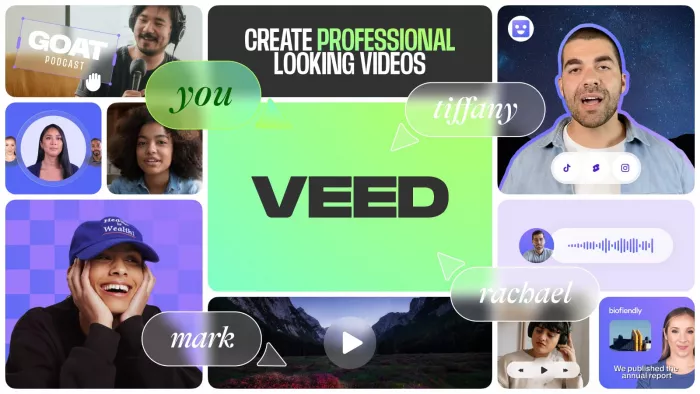
Best for: Creators, educators, marketers, and small teams that want a simple online editor for captions, cleanup, resizing, and social video publishing.
Veed.io fits into the editing process after the footage is already recorded. It is useful when you have a talking-head video, webinar, tutorial, podcast editing, product demo, or course lesson and want to turn it into a cleaner publish-ready video without opening a traditional desktop editor.
The platform is built more for speed than deep manual control. Its browser-based workflow makes it practical for people who need regular content output, especially when the same video has to be captioned, resized, branded, translated, or cleaned for different platforms.
| Area | Details |
| Editing style | Browser-based video editor with timeline, templates, captions, and AI editing tools. |
| Input options | Video upload, webcam recording, screen recording, audio upload, and media library assets. |
| AI tools | Auto subtitles generation, background noise removal, translation, text-to-speech, eye contact correction, and background removal on supported plans. |
| Export focus | Social videos, explainers, tutorials, ads, course clips, podcast snippets, and marketing videos. |
| Collaboration | Team workspaces, brand kits, shared projects, and online review workflows on higher plans. |
Best use cases:
● Turning raw talking-head videos into captioned social clips.
● Cleaning webinar, course, or podcast footage before publishing.
● Preparing one video in multiple formats for TikTok, Instagram, YouTube, and LinkedIn.
Where it may not fit: Veed.io is not ideal for editors who need advanced color grading, heavy visual effects, complex sound design, or frame-level timeline control.
Pricing: Veed.io has a free plan with limits. Paid plans start from around $12 per month when billed annually.
Quick verdict: Veed.io is a strong choice for fast online video editing, especially when captions, resizing, cleanup, and social publishing matter more than advanced post-production control.
2. Descript
Best for: Podcasters, YouTubers, interview editors, and educators who want to edit video by editing text.
Descript changes the editing process by turning video and audio into a transcript. Instead of cutting clips only from a timeline, you can remove words, pauses, filler phrases, or unwanted sections directly from the text. This makes it especially helpful for spoken-content formats where the dialogue carries the video.
It works well for interviews, podcasts, explainers, screen recordings, training videos, and YouTube commentary. The main advantage is not flashy effects, but speed and clarity. If your video is built around speech, Descript can make editing feel closer to revising a document.
| Area | Details |
| Editing style | Transcript-based editor with timeline support for video and audio projects. |
| Input options | Uploaded video, uploaded audio, screen recordings, webcam recordings, and imported media. |
| AI tools | Transcription, filler-word removal, Studio Sound, AI voice tools, captions, summaries, and clip creation. |
| Export focus | Podcasts, interviews, YouTube videos, online courses, screen tutorials, and repurposed clips. |
| Collaboration | Multi-user projects, comments, shared workspaces, and review features on higher plans. |
Best use cases:
● Editing interviews and podcasts without manually searching through a timeline.
● Removing filler words, long pauses, and repeated phrases from spoken videos.
● Creating clean video clips from long conversations, webinars, or recordings.
Where it may not fit: Descript is less suitable for creators who need cinematic visuals, heavy motion graphics, or advanced timeline layering.
Pricing: Descript has a free plan. Paid plans start at $16 per person per month, with higher Creator and Business tiers available.
Quick verdict: Descript is the best pick if your video editing workflow depends heavily on spoken words, interviews, podcasts, or educational narration.
3. Runway
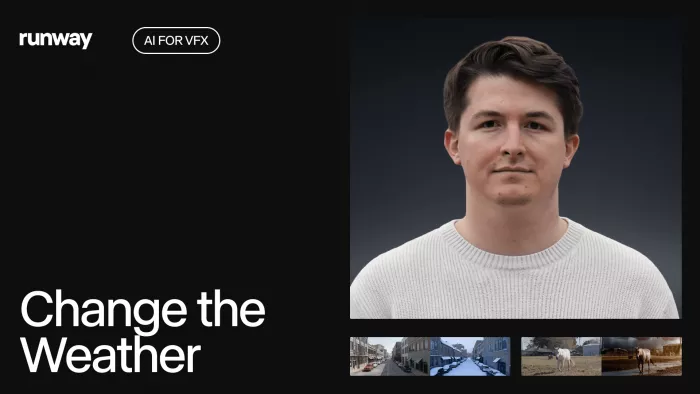
Best for: Content Creators, filmmakers, designers, and agencies that want AI generation, visual transformation, and experimental video editing.
Runway is different from basic video editors because it focuses heavily on generative AI. It can help create video clips, extend scenes, transform visuals, remove objects, generate backgrounds, and experiment with cinematic ideas from prompts or image inputs.
It is useful when the goal is not only to edit existing footage but to create new visual material. Designers, music video creators, ad teams, concept artists, and creative directors can use Runway to test visual ideas before committing to production.
| Area | Details |
| Editing style | Generative AI video platform with prompt-based creation and creative editing tools. |
| Input options | Text prompts, images, video clips, references, and existing media assets. |
| AI tools | Text-to-video, image-to-video, video-to-video, background removal, inpainting, motion tools, and generative visual effects. |
| Export focus | Concept videos, social visuals, ads, music videos, cinematic tests, and experimental creative clips. |
| Collaboration | Workspace-based production with shared assets and higher-tier storage for larger creative projects. |
Best use cases:
● Creating AI-generated video scenes from prompts or reference images.
● Testing visual concepts before building a full ad, music video, or campaign.
● Adding AI-driven effects and transformations to creative footage.
Where it may not fit: Runway is not the simplest choice for basic editing tasks like trimming tutorials, adding normal captions, or preparing simple webinar clips.
Pricing: Runway has a free plan with limited credits. Paid plans start at $12 per user per month when billed annually, or $15 monthly.
Quick verdict: Runway is best for creators who want AI video generation and visual experimentation, not just standard editing cleanup.
4. CapCut
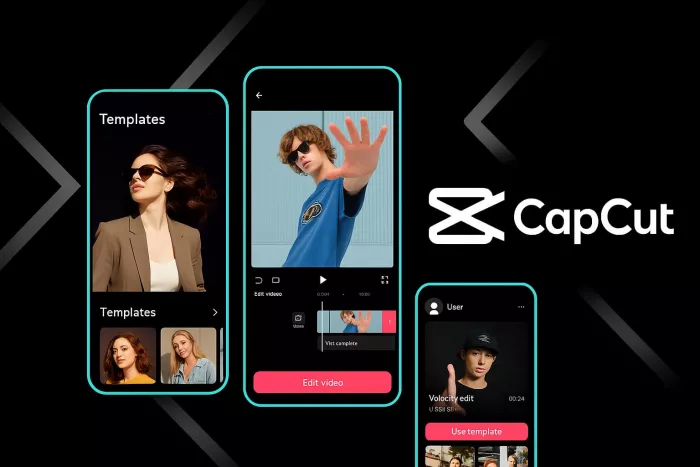
Best for: TikTok, Reels, Shorts, and mobile-first creators who need fast edits, effects, captions, and trend-ready templates.
CapCut is one of the easiest AI video editors for short-form content. It is designed around fast production, which makes it useful for creators who post frequently on TikTok, Instagram Reels, YouTube Shorts, and other social platforms. The editor works across mobile, desktop, and web, though many users still use it heavily on phones.
Its strength is quick assembly. You can cut clips, add captions, use templates, apply effects, adjust speed, remove backgrounds, and create platform-ready videos without learning a professional editor. For creators who work around trends, CapCut is often faster than traditional tools.
| Area | Details |
| Editing style | Mobile-first and desktop-friendly editor with templates, effects, timeline tools, and AI features. |
| Input options | Phone videos, imported clips, photos, screen recordings, templates, audio tracks, and stock elements. |
| AI tools | Auto captions, text-to-speech, background removal, smart templates, motion tracking, and style effects. |
| Export focus | TikTok videos, Instagram Reels, YouTube Shorts, lifestyle edits, vlogs, memes, and creator content. |
| Collaboration | More creator-focused than agency-focused, with cloud and cross-device support depending on plan and region. |
Best use cases:
● Editing short vertical videos quickly from phone footage.
● Creating trend-based videos with effects, captions, music, and templates.
● Making creator-style content without using complex desktop software.
Where it may not fit: CapCut is not the strongest option for long-form documentaries, corporate video systems, or advanced professional post-production.
Pricing: CapCut has a free version. CapCut Pro pricing varies by region, platform, and subscription route, but commonly falls around $7.99 to $19.99 per month.
Quick verdict: CapCut is the easiest choice for short-form creators who want speed, trend-focused editing, and mobile-friendly production.
5. Pictory
Best for: Bloggers, marketers, educators, and businesses that want to turn written content into videos.
Pictory is built for people who start with text rather than raw footage. It can turn scripts, blog posts, articles, and web pages into video drafts using stock visuals, captions, voiceovers, and scene-based editing. That makes it useful for content teams that already publish written material and want to repurpose it into video.
The workflow is less about manual editing and more about structured video creation. You provide the source content, review the scenes, change visuals where needed, adjust the voiceover or captions, and export a video for marketing, education, or social distribution.
| Area | Details |
| Editing style | Text-to-video and script-to-video platform with scene-based editing. |
| Input options | Scripts, blog posts, article URLs, text prompts, and uploaded media. |
| AI tools | Script-to-video, URL-to-video, captions, AI voiceovers, stock media matching, and video summaries. |
| Export focus | Explainer videos, blog summaries, educational clips, list videos, product explainers, and content marketing assets. |
| Collaboration | Better suited to marketing and content teams that need repeatable video production from written assets. |
Best use cases:
● Converting blog posts into short explainer videos.
● Turning scripts into marketing or educational videos.
● Creating video summaries from long written content.
Where it may not fit: Pictory is not ideal when you need precise manual control over every frame, complex effects, or original cinematic footage.
Pricing: Pictory offers a free trial. Paid plans start at $25 per month.
Quick verdict: Pictory is best for teams that already have written content and want to convert it into simple, publishable videos.
6. OpusClip
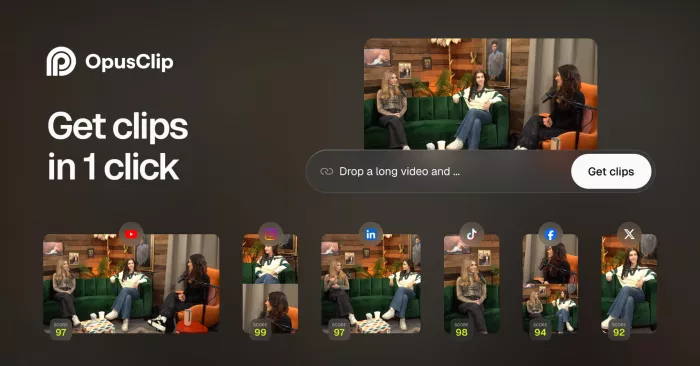
Best for: Podcasters, YouTubers, webinar hosts, and creators who want to turn long videos into short clips.
OpusClip is designed for repurposing. Instead of asking users to manually scan a long video for interesting moments, it analyzes the content and pulls out short clips that may work for TikTok, Reels, Shorts, and LinkedIn. This is useful when creators already have long-form content but do not have time to edit several clips manually.
Its workflow fits podcasts, interviews, livestreams, webinars, speeches, educational videos, and YouTube episodes. You import a long video, let the AI identify clip-worthy sections, then review, adjust captions, edit framing, and export selected clips.
| Area | Details |
| Editing style | AI clipping tool focused on long-to-short video repurposing. |
| Input options | Local video upload, YouTube links, Google Drive, Zoom, Vimeo, Twitch, LinkedIn, and other supported sources on paid plans. |
| AI tools | Clip detection, caption generation, virality scoring, speaker framing, keyword-based clipping, and AI B-roll on some plans. |
| Export focus | Short clips for TikTok, Instagram Reels, YouTube Shorts, LinkedIn, and social reposting. |
| Collaboration | Useful for creators, podcast teams, and social teams managing clips from long video libraries. |
Best use cases:
● Turning a one-hour podcast into multiple short clips.
● Finding shareable moments from webinars, interviews, or livestreams.
● Creating vertical clips from horizontal long-form videos.
Where it may not fit: OpusClip is not meant for creating original videos from scratch or handling complex full-length editing projects.
Pricing: OpusClip has a free plan. Paid plans start at $15 per month, with Pro at $29 per month.
Quick verdict: OpusClip is one of the strongest tools for creators who already produce long videos and need short-form clips at scale.
7. Synthesia
Best for: Businesses, educators, HR teams, and training departments that want AI avatar videos from scripts.
Synthesia is not a traditional editor in the same way as Premiere Pro, Veed.io, or Filmora. It is more of an AI video production platform where users create presenter-style videos using avatars, scripts, voices, templates, and brand assets. This makes it useful for companies that need training, onboarding, internal communication, product explainers, and multilingual business videos.
The main workflow starts with a script. You choose an avatar, select a voice and language, place content into scenes, adjust the layout, and generate a video. It removes the need for cameras, studios, presenters, and repeated recording sessions for many corporate video formats.
| Area | Details |
| Editing style | AI avatar video creation with scene-based editing and business templates. |
| Input options | Script text, slide-style scenes, brand assets, media uploads, and templates. |
| AI tools | AI avatars, text-to-speech, multilingual voice generation, script-based video creation, and translation features. |
| Export focus | Training videos, onboarding lessons, compliance content, product walkthroughs, and internal communication. |
| Collaboration | Stronger for business teams that need brand control, shared workspaces, and repeatable video templates. |
Best use cases:
● Creating training videos without hiring presenters or recording in a studio.
● Producing onboarding and HR videos in multiple languages.
● Making business explainers with a consistent presenter style.
Where it may not fit: Synthesia is not ideal for creator-style videos, cinematic editing, or footage-heavy projects that need a real filmed environment.
Pricing: Synthesia has a free plan. Paid plans start at $29 per month, with Creator and Enterprise tiers available.
Quick verdict: Synthesia is best for businesses that want professional avatar-led videos without traditional filming.
8. InVideo AI
Best for: Creators, marketers, and small businesses that want to create videos from prompts, scripts, or ideas.
InVideo AI is useful when you want to move from an idea to a video draft quickly. Instead of building every scene manually, users can describe the video they want, and the platform can generate a structured video with visuals, voiceover, music, subtitles, and stock assets.
This makes it useful for marketing videos, YouTube explainers, product promos, social clips, and quick business videos. It works best when speed matters more than fully custom editing precision, especially for users who do not want to start with a blank timeline.
| Area | Details |
| Editing style | Prompt-to-video and template-assisted video creation platform. |
| Input options | Text prompts, scripts, media uploads, stock footage, voice inputs, and brand assets. |
| AI tools | AI video generation, voiceovers, subtitles, stock media selection, music, script support, and video editing commands. |
| Export focus | Marketing videos, explainer videos, YouTube content, ads, social videos, and business promos. |
| Collaboration | Suitable for small teams and content departments that need quick video drafts and repeatable campaigns. |
Best use cases:
● Creating a marketing video from a simple prompt or script.
● Producing social videos without manually searching for every stock clip.
● Building quick explainer videos for products, services, or topics.
Where it may not fit: InVideo AI may feel restrictive for editors who want frame-by-frame control, original filming workflows, or advanced cinematic finishing.
Pricing: InVideo AI has a free plan. Paid plans commonly start around $25 per month, with annual billing often reducing the monthly equivalent.
Quick verdict: InVideo AI is a good choice when you want a fast idea-to-video workflow instead of a blank editing timeline.
9. Filmora
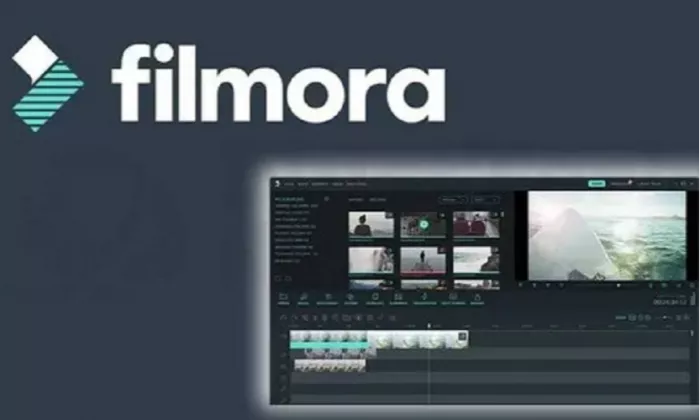
Best for: Beginners, YouTubers, students, educators, and casual editors who want desktop editing with AI tools.
Filmora sits between simple online editors and professional tools like Premiere Pro. It gives users a familiar timeline editor while keeping the interface easier than high-end post-production software. That makes it useful for YouTube videos, tutorials, travel edits, school projects, product demos, and social videos.
Its AI tools help with common editing tasks, but the bigger value is balance. Users get timeline editing, effects, transitions, titles, audio tools, templates, and export flexibility without the steep learning curve of professional software.
| Area | Details |
| Editing style | Desktop video editor with timeline controls, effects, templates, and AI features. |
| Input options | Video files, audio files, photos, screen recordings, stock assets, and captured media. |
| AI tools | AI text-based editing, AI music, AI captions, smart cutout, audio cleanup, motion tracking, and AI image/video tools depending on version and plan. |
| Export focus | YouTube videos, tutorials, vlogs, school projects, social clips, product demos, and general creator videos. |
| Collaboration | More suitable for individual editors than large approval-based production teams. |
Best use cases:
● Editing YouTube videos with titles, transitions, music, and effects.
● Creating polished videos without learning professional editing software.
● Handling personal, educational, and small-business video projects.
Where it may not fit: Filmora may not be enough for advanced film editing, enterprise media pipelines, or deep professional color and sound workflows.
Pricing: Filmora offers a free trial. Paid plans start at $49.99 per year for the Basic plan, with higher plans adding more AI credits and creative assets.
Quick verdict: Filmora is a practical choice for users who want more control than a browser editor but less complexity than Premiere Pro.
10. Adobe Premiere Pro
Best for: Professional editors, agencies, YouTubers, filmmakers, and production teams that need full timeline control with AI assistance.
Adobe Premiere Pro remains one of the strongest choices for serious video editing. It is not an AI-only video editor, but Adobe has added AI-assisted features that support transcription, captioning, audio cleanup, reframing, color workflows, and creative production inside a professional timeline.
Premiere Pro is best when video quality, precision, and control matter. It works for YouTube production, brand videos, documentaries, interviews, ads, music videos, corporate films, and projects that need advanced finishing or integration with other Adobe apps such as After Effects, Photoshop, Audition, and Media Encoder.
| Area | Details |
| Editing style | Professional timeline-based editing software with AI-assisted workflow features. |
| Input options | Camera footage, audio files, image assets, graphics, multicam footage, screen recordings, and Adobe project assets. |
| AI tools | Speech-to-text, text-based editing, captions, audio enhancement, scene edit detection, auto reframe, and Firefly-supported creative tools depending on plan and region. |
| Export focus | YouTube videos, films, ads, documentaries, branded videos, corporate content, and high-quality client work. |
| Collaboration | Strong for professional teams through Adobe Creative Cloud, shared assets, review tools, and connected Adobe apps. |
Best use cases:
● Editing professional videos that need detailed timeline control.
● Managing projects that involve color, sound, graphics, and multiple Adobe tools.
● Producing client-ready videos where export quality and workflow flexibility matter.
Where it may not fit: Premiere Pro can feel too complex and expensive for users who only need captions, simple trims, or quick social clips.
Pricing: Adobe Premiere Pro offers a free trial. In the U.S., the single-app plan commonly starts at $22.99 per month, while regional pricing may differ. In India, Adobe lists Premiere from ₹599 per month inclusive of GST under current offer pricing.
Which AI Video Editing Tool Should You Choose?
The best AI video editor depends on the kind of video you already make. If you record talking-head videos and need fast publishing, Veed.io is one of the easiest choices. If your content is built around interviews, podcasts, or narration, Descript is stronger because the transcript-based workflow saves time.
For short-form creators, CapCut and OpusClip solve different problems. CapCut is better when you are creating short videos from scratch or phone footage, while OpusClip is better when you already have long videos and want to repurpose them into multiple clips.
Businesses should look more closely at Synthesia, Pictory, and InVideo AI. Synthesia is strongest for avatar-led training and internal videos, Pictory is useful for turning written content into video, and InVideo AI works well when you want to generate a video from a prompt or script.
For creative and professional work, Runway, Filmora, and Premiere Pro sit in different lanes. Runway is strongest for AI-generated visuals and experimental scenes. Filmora is better for beginners who want a real timeline editor without a heavy learning curve. Premiere Pro is still the better choice for professional editors who need serious control.
Final Verdict
There is no single best AI video editing tool for every user. Veed.io, CapCut, and OpusClip are better for fast creator workflows. Descript is the strongest option for transcript-led editing. Pictory and InVideo AI are useful for content marketing teams that start from text. Synthesia is best for avatar-based business videos. Runway is the most creative option for generative video work, while Filmora and Premiere Pro are better when timeline control matters.
If you want the safest overall starting point, choose based on your main workflow. Use Veed.io for online social editing, Descript for spoken content, OpusClip for long-to-short repurposing, Synthesia for business training videos, Runway for AI visuals, and Premiere Pro when you need professional editing depth.



Comments