Talking head videos used to need a camera, lighting setup, microphone, quiet room, presenter, and editing time. AI video tools have changed that workflow. You can now turn a script, slide deck, product update, training note, or marketing message into a presenter-style video without filming from scratch.
The important thing is choosing the right tool. Some AI talking head platforms are built for polished business videos. Some are better for creators and social media. Others work best for training, localization, or turning one script into multiple language versions.
Quick Comparison: Best AI Talking Head Video Tools
| Tool | Best For | Starting Price | Best Strength |
| Synthesia | Business and training videos | $29/month | Professional avatars and enterprise polish |
| HeyGen | Creators, marketers, and fast avatar videos | $29/month | Easy workflow and strong avatar variety |
| D-ID | Talking photos and API-driven videos | Varies by plan | Photo-to-video and developer use cases |
| Colossyan | Workplace learning and training | $19/month | Training videos, interactivity, localization |
| Elai | Text-to-video presenter content | $29/month | Simple avatar videos for teams and educators |
| AI Studios | Multilingual avatar video production | Free plan available | Large avatar library and dubbing workflow |
| VEED | Editing plus AI avatar videos | Free to try | All-in-one video editing and avatar tools |
1. Synthesia
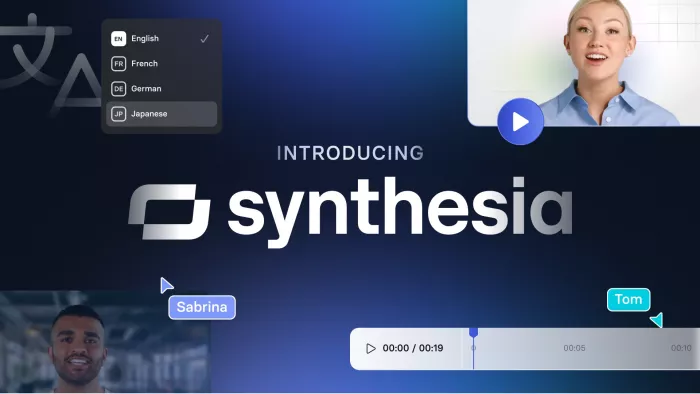
Synthesia is one of the strongest tools for professional talking head videos, especially when the output needs to feel suitable for a company, course, internal training module, product explainer, or onboarding video. It is not trying to be a flashy short-form editor. Its strength is structured, clean, presenter-led video production.
The workflow is simple: write or paste a script, choose an AI avatar, select a voice and language, adjust the scene, then generate the video. Synthesia also supports AI voices in 160+ languages and offers a free plan with 10 minutes of video per month, while paid plans start with Starter at $29/month and Creator at $89/month.
Where Synthesia stands out is control. The avatars generally look formal and business-ready. The templates feel more suited to training decks, software explainers, HR content, compliance videos, and company updates than casual TikTok-style content. That makes it a better fit for brands that want consistency more than experimentation.
The limitation is personality. Synthesia videos can look polished, but they may also feel corporate if the script is flat. The tool works best when the writing is conversational, concise, and structured around clear scenes. If the script sounds like a policy document, the final video will still feel stiff.
Best for: training videos, business explainers, onboarding, internal communication, education, SaaS tutorials.
2. HeyGen
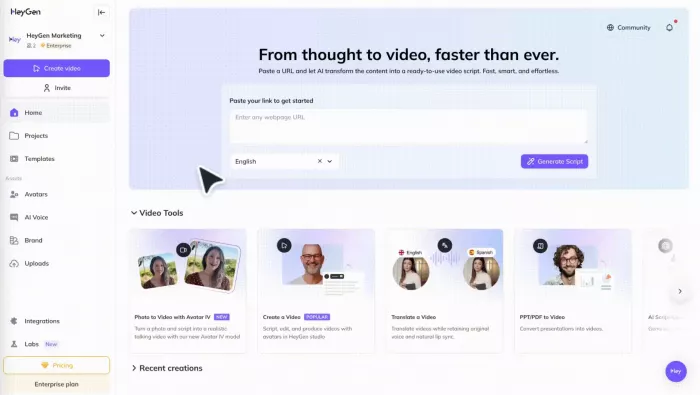
HeyGen is one of the most creator-friendly AI talking head video tools. It feels faster and more flexible than many traditional avatar platforms, which makes it useful for marketers, solo creators, agencies, YouTubers, short-form educators, and product teams.
The platform lets users generate videos from text, images, stock assets, or audio. Its basic workflow is built around choosing an avatar, pasting a script, selecting a voice and language, then customizing the video before export. HeyGen offers a free option with up to 3 videos per month, while the Creator plan is listed at $29/month or $24/month annually, and Pro starts at $49/month.
HeyGen’s practical advantage is speed. It works well when you need a clean talking head video quickly without building every scene manually. It is also useful for marketing variations, product announcements, explainer videos, social content, and multilingual video campaigns.
The tradeoff is that some outputs can still feel recognizably AI-generated if the avatar, voice, and script are not selected carefully. For best results, keep sentences short, use natural phrasing, avoid overly formal narration, and break long scripts into smaller scenes.
Best for: marketing videos, creator videos, social explainers, short product updates, multilingual content.
3. D-ID
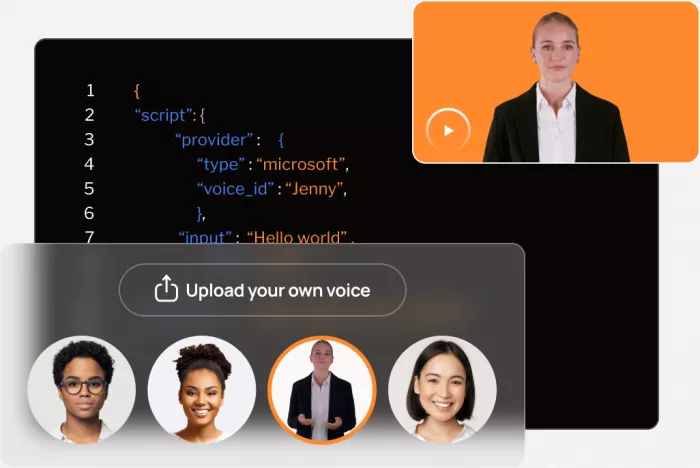
D-ID is different from tools like Synthesia and Colossyan because it has a strong focus on turning images into speaking digital people. That makes it especially useful for talking photo videos, AI presenters, digital agents, virtual assistants, and API-based video workflows.
D-ID positions itself as a generative AI video platform for creating videos with digital people and also promotes API use for plugging its video generation into existing workflows.
The biggest reason to use D-ID is flexibility around faces and images. If you want to animate a portrait, create a speaking character from an image, build a conversational agent, or generate a large number of personalized avatar videos through API workflows, D-ID is a serious option.
It is less ideal if you want a polished business-video builder with lots of scene templates, course structure, or deep editing controls. D-ID works best when the talking head itself is the core feature, not when the video needs lots of layout design, motion graphics, charts, or interactive training elements.
Best for: talking photo videos, digital presenters, API video generation, virtual agents, personalized avatar clips.
4. Colossyan
Colossyan is especially strong for workplace learning, internal training, onboarding, compliance videos, and educational content. It is less of a creator toy and more of a structured AI video platform for teams that need repeatable training content.
The platform allows users to create videos with AI avatars, build structured courses, localize content into 100+ languages, and add interactive elements in one workflow. Pricing starts at $19/month for 120 annual video minutes, and studio custom avatars are listed as an add-on at $1,000 per year.
Colossyan’s strongest advantage is learning design. It is not only about putting an avatar on screen. The platform is designed around training outcomes, localization, and repeatable internal communication. This matters for companies that constantly update policies, product documentation, support training, or employee education.
The limitation is that it may feel too formal for creators who want punchy, fast-moving short-form videos. If your goal is viral Reels or YouTube Shorts, Colossyan may feel heavier than necessary. If your goal is clean workplace video at scale, it makes much more sense.
Best for: employee training, e-learning, onboarding, compliance videos, corporate education.
5. Elai
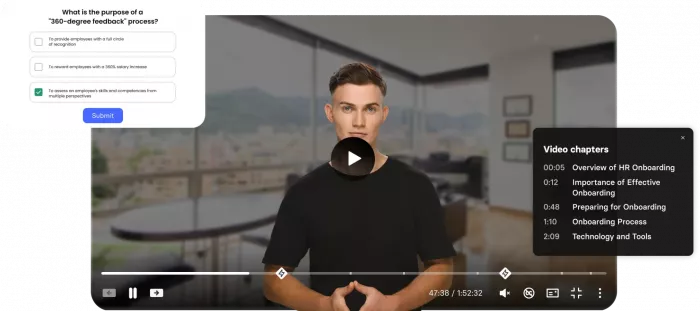
Elai is a practical AI video generator for turning text into presenter-led videos. It is particularly useful for educators, small teams, product explainers, training creators, and companies that need straightforward avatar content without a complicated production process.
Elai’s Creator plan is listed at $29/month, or $23/month when billed annually, and includes up to 15 minutes per month, Full HD video, and access to the avatar, voice, and language library.
The tool’s value is simplicity. You can move from script to video without needing filming equipment, a presenter, or a traditional editor. It also supports text-to-video creation and multilingual use cases, which makes it useful for training and educational content.
The main drawback is that Elai is not always the flashiest option. Some competitors offer more advanced avatar realism, stronger brand polish, or deeper editing ecosystems. But for teams that want a clean, reliable way to make presenter videos from scripts, Elai remains a sensible choice.
Best for: educators, training teams, small businesses, product explainers, simple avatar videos.
6. AI Studios
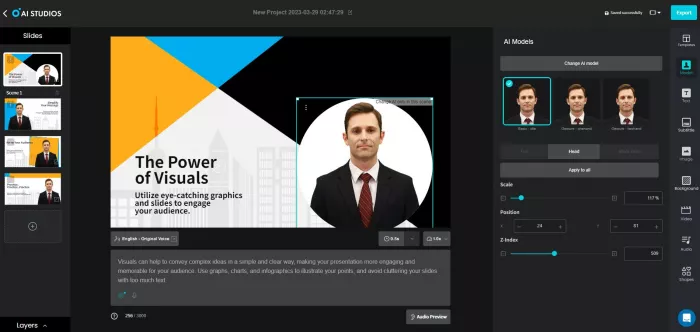
AI Studios by DeepBrain AI is built for AI avatar video creation, multilingual video production, dubbing, templates, and presenter-led content. It is a good option for teams that want a broad AI video workspace rather than a single-purpose talking head generator.
The official pricing page highlights a free plan and paid plans such as Personal and Team. The Personal plan is intended for individual creators and allows unlimited AI video generation with videos up to 30 minutes long, while Team is built for collaboration and shared production workflows. The platform also includes AI avatars, AI dubbing, text-to-video generation, templates, and interactive avatar capabilities.
AI Studios is strong when localization matters. If you are creating videos for multiple markets, translating content, or producing avatar videos in different languages, the dubbing and lip-sync features become useful. It is also attractive for creators who want a larger workspace that includes avatars, voices, templates, and generative video features.
The weakness is that a broad feature set can make the platform feel less focused than tools built around one clean workflow. It may take more time to understand which features are actually useful for your production process.
Best for: multilingual videos, AI dubbing, avatar content, teams producing frequent video variations.
7. VEED
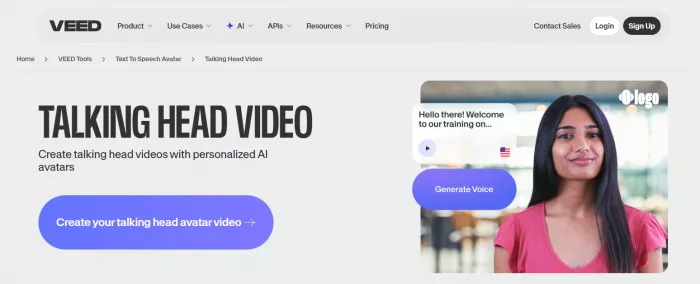
VEED is not only an AI talking head video tool. It is a broader browser-based video editing platform with AI avatars, subtitles, dubbing, voice tools, background noise removal, eye contact tools, screen recording, and standard video editing features.
That makes VEED useful for creators who want to generate or use AI avatars but still need normal editing controls. The platform supports talking heads, AI editing, dubbing, subtitles, and video creation in one workflow. Its AI avatar tool supports realistic avatars in 120+ languages and can be used for social videos, product demos, and branded announcements.
VEED’s biggest strength is convenience. If you create social content, tutorials, explainers, or client videos, you may not want a separate tool for avatars, subtitles, cleanup, resizing, and exporting. VEED puts many of those steps in one place.
The downside is that its talking head features are part of a wider editing suite, so it may not feel as specialized as Synthesia, HeyGen, or Colossyan for avatar-first video production. But for creators who need editing and AI features together, VEED is one of the most practical choices.
Best for: social videos, creator workflows, subtitles, avatar clips, editing plus AI tools.
Which AI Talking Head Tool Should You Choose?
| Use Case | Best Pick |
| Corporate training | Synthesia or Colossyan |
| Creator-style talking head videos | HeyGen or VEED |
| Talking photo videos | D-ID |
| E-learning and structured training | Colossyan or Elai |
| Multilingual video production | Synthesia, HeyGen, or AI Studios |
| Editing plus AI avatars | VEED |
| Simple script-to-avatar workflow | Elai |
| API-based video generation | D-ID |
Final Verdict
The best AI tool for talking head videos depends on what kind of content you want to produce. Synthesia is the strongest choice for polished business and training videos. HeyGen is better for creators and marketers who need fast, flexible avatar content. D-ID is ideal for talking photo and API-driven workflows. Colossyan is the best fit for workplace learning. Elai works well for simple presenter videos. AI Studios is strong for multilingual avatar production. VEED is the most practical option when you want AI avatars and editing tools in the same workspace.
For most users, the safest starting point is HeyGen or VEED if the goal is creator content, and Synthesia or Colossyan if the goal is business training. The right tool is not the one with the longest feature list. It is the one that matches your video workflow, audience, and publishing frequency.



Comments