Content creators now work across too many formats to rely on one editing app or one design tool. A single creator may need a YouTube thumbnail, an Instagram carousel, a TikTok edit, a podcast clip, a voiceover, a content calendar, and a scheduled post in the same week.
That is where AI tools are becoming useful. The best ones do not replace creative judgment. They help creators move faster, clean up repetitive work, and turn one idea into more usable content across platforms.
Quick Comparison Table
| Tool | Best For | Main Creator Use | Free Plan or Trial | Starting Price |
| Canva AI | Visual creators | Thumbnails, carousels, posts, media kits | Free plan available | Around $15/month for Pro |
| CapCut | Short-form video creators | Reels, TikToks, Shorts, captions | Free plan available | Often around $19.99/month for Pro |
| Descript | Podcasters and video creators | Text-based audio and video editing | Free plan available | $16/month billed annually |
| OpusClip | Long-form video creators | Turning long videos into short clips | Free plan available | $15/month for Starter |
| Runway | AI video creators | Generative video and visual effects | Free plan available | $12/month billed annually |
| InVideo AI | Prompt-to-video creators | Creating videos from prompts and scripts | Limited free access | $17/month billed annually |
| ElevenLabs | Voiceover creators | Narration, dubbing, AI voices | Free plan available | $6/month for Starter |
| Notion AI | Creator planners | Calendars, briefs, notes, workflows | Free plan with AI trial | Plus from $10/month, AI credits from $10 |
| Buffer | Social media creators | Scheduling, publishing, captions | Free plan available | $5/month per channel billed annually |
| Pictory | Bloggers and educators | Turning text into videos | 14-day free trial | $25/month for Starter |
1. Canva AI
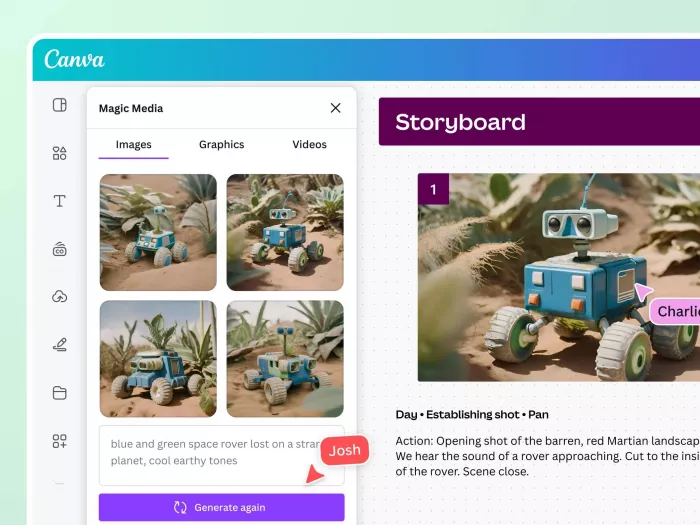
Best for: Instagram creators, YouTubers, educators, small business creators, and personal brands that need quick visuals without learning advanced design software.
Where it fits in the creator workflow:
Canva AI fits into the visual side of content creation. It is useful when a creator needs thumbnails, Instagram carousels, Reels covers, Pinterest pins, media kits, short video graphics, or branded templates. Instead of opening separate tools for design, image editing, background removal, video resizing, and presentation-style posts, creators can manage most of their visual content inside one dashboard.
What it helps you create:
| Creator Output | How Canva AI Helps |
| YouTube thumbnails | Helps create polished thumbnail layouts with text, images, and effects |
| Instagram carousels | Turns educational or promotional ideas into swipe-style visual posts |
| Reels and Shorts covers | Creates clean cover images that match the creator’s brand style |
| Brand templates | Keeps fonts, colors, and layouts consistent across platforms |
| Media kits | Helps creators build professional-looking pitch documents for brands |
Best creator-focused features:
● Magic Design helps turn rough content ideas into ready-made layouts for posts, banners, thumbnails, and presentations.
● AI image tools can generate backgrounds, concept visuals, and creative elements when stock images feel too generic.
● Brand Kit helps creators keep their colors, fonts, and logo style consistent across every platform.
● Canva’s video tools make it easier to design Reels, Shorts, TikTok covers, and simple promotional clips without needing pro editing software.
● Templates save time for creators who publish regularly and do not want to design every asset from scratch.
Creator reality check:
Canva AI is excellent for speed, consistency, and beginner-friendly design. It is especially useful for creators who need good-looking assets every week but do not have a designer. The limitation is that some templates can feel familiar because many creators use Canva, so the best results still need custom colors, better image choices, and small manual edits.
| What Creators Will Like | What Creators May Miss |
| Fast design creation without advanced skills | Some templates can look overused |
| Good for thumbnails, carousels, and social posts | Advanced designers may want more control |
| Useful for keeping a consistent visual identity | AI-generated visuals still need polishing |
Pricing: Canva has a free plan. Canva Pro commonly starts around $15/month for one person, though pricing can vary by region and billing cycle. Canva Teams pricing can also vary depending on country, billing, and team size.
Best creator match: Canva AI is best for creators who need fast, polished visuals for multiple platforms and want one tool for thumbnails, carousels, short video graphics, and brand content.
2. CapCut
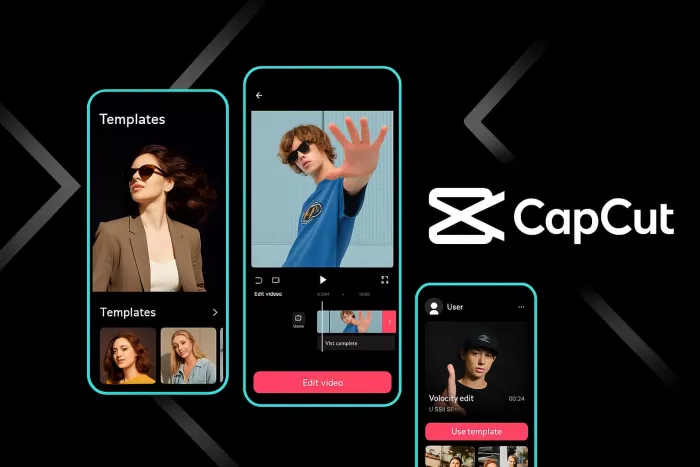
Best for: TikTok creators, Instagram Reels creators, YouTube Shorts creators, vloggers, and short-form video editors who need fast mobile-friendly editing.
Where it fits in the creator workflow:
CapCut fits into the editing stage of the creator workflow. It is useful when a creator has raw clips and needs to turn them into polished short-form videos quickly. Instead of using heavy editing software for every Reel, TikTok, or Short, creators can cut clips, add captions, use templates, apply effects, remove backgrounds, adjust audio, and export platform-ready videos from one app.
What it helps you create:
| Creator Output | How CapCut Helps |
| TikTok videos | Helps edit fast vertical videos with captions, effects, sounds, and templates |
| Instagram Reels | Makes it easier to create polished short clips with transitions and text overlays |
| YouTube Shorts | Helps turn simple footage into short, engaging vertical videos |
| Talking-head clips | Adds auto captions, jump cuts, and clean edits for commentary-style content |
| Product videos | Helps small creators create quick promo clips without advanced editing software |
Best creator-focused features:
● Auto captions help creators make videos easier to watch, especially for viewers scrolling without sound.
● Ready-made templates save time when creators want to follow short-form trends quickly.
● Background removal helps creators create cleaner edits without using green screens or advanced software.
● Text, stickers, effects, and transitions make videos look more engaging for TikTok, Reels, and Shorts.
● Mobile and desktop editing options give creators flexibility depending on how they prefer to work.
Creator reality check:
CapCut is one of the most useful tools for creators who publish short-form videos regularly. It is fast, simple, and built around the kind of editing that works on TikTok, Instagram, and YouTube Shorts. The limitation is that advanced editors may still want more control over color grading, complex timelines, sound design, and professional motion graphics.
| What Creators Will Like | What Creators May Miss |
| Very fast editing for Reels, TikToks, and Shorts | Advanced editors may want deeper timeline control |
| Auto captions save a lot of manual work | Some premium effects and features require Pro |
| Templates make trend-based editing easier | AI and template-based edits can feel repetitive if overused |
Pricing: CapCut has a free plan. CapCut Pro pricing varies by region, platform, and checkout route, but it is often listed around $19.99/month or $179.99/year in many markets.
Best creator match: CapCut is best for short-form creators who need fast editing, captions, effects, and platform-ready exports without using complex editing software.
3. Descript
Best for: Podcasters, YouTubers, interview creators, course creators, and talking-head video creators who want to edit audio and video like a document.
Where it fits in the creator workflow:
Descript fits into the editing and repurposing stage of a creator’s workflow. It is useful when a creator records podcasts, interviews, tutorials, webinars, or long talking-head videos and needs to clean them up quickly. Instead of only editing on a traditional timeline, creators can edit the transcript and remove words, pauses, mistakes, or filler sections from the media.
What it helps you create:
| Creator Output | How Descript Helps |
| Podcasts | Lets creators edit audio by editing the transcript |
| YouTube videos | Helps clean up talking-head videos and remove mistakes |
| Interview clips | Makes it easier to cut long conversations into usable segments |
| Course videos | Helps polish educational recordings and remove filler words |
| Social clips | Turns longer recordings into shorter shareable clips |
Best creator-focused features:
● Text-based editing makes audio and video cleanup easier for creators who dislike complex timelines.
● Studio Sound helps improve voice quality when recordings are not perfectly clean.
● Filler word removal saves time during podcast and interview editing.
● Transcription helps creators repurpose spoken content into captions, show notes, blogs, and social posts.
● Clip creation tools make it easier to turn long recordings into smaller social assets.
Creator reality check:
Descript is very strong for speech-based creators. If your content depends on interviews, narration, podcasts, or tutorials, it can save a lot of editing time. The limitation is that it is not a full cinematic editing suite. Creators who need heavy visual effects, advanced color work, or complex motion graphics may still need a traditional video editor.
| What Creators Will Like | What Creators May Miss |
| Editing feels easier because it works through text | Not ideal for advanced cinematic editing |
| Great for podcasts, interviews, and tutorials | AI cleanup still needs human review |
| Transcripts make repurposing much easier | Higher plans are needed for heavier usage |
Pricing: Descript has a free plan. Paid plans start with Hobbyist at $16/month billed annually, or $24/month billed monthly. Creator costs $24/month billed annually, or $35/month billed monthly. Business costs $50/month billed annually, or $65/month billed monthly.
Best creator match: Descript is best for creators who record spoken content and want faster editing, cleaner audio, transcripts, and reusable clips.
4. OpusClip
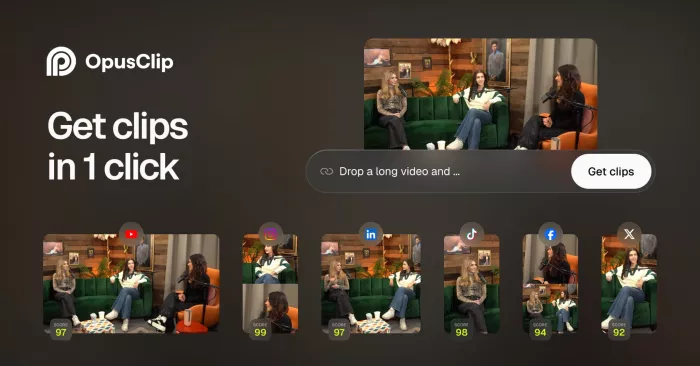
Best for: YouTubers, podcasters, livestreamers, coaches, educators, and interview creators who want to turn long videos into short clips.
Where it fits in the creator workflow:
OpusClip fits into the repurposing stage of content creation. It is useful after a creator has already recorded a long YouTube video, podcast, livestream, webinar, or interview. Instead of manually watching the entire video to find short moments, OpusClip can analyze the content, identify clip-worthy sections, reframe them vertically, add captions, and prepare them for platforms like TikTok, Instagram Reels, and YouTube Shorts.
What it helps you create:
| Creator Output | How OpusClip Helps |
| YouTube Shorts | Finds short moments from long videos and formats them vertically |
| Instagram Reels | Creates captioned clips from podcasts, interviews, and webinars |
| TikTok clips | Helps creators repurpose longer content into short social videos |
| Podcast highlights | Pulls interesting moments from recorded conversations |
| Webinar clips | Turns educational or coaching sessions into short promo content |
Best creator-focused features:
● AI clipping helps identify strong short-form moments from long videos.
● Auto reframing makes horizontal videos work better on vertical platforms.
● AI captions make short clips more watchable and social-friendly.
● Virality scoring helps creators choose which clips may perform better.
● Publishing features help creators move from repurposing to distribution faster.
Creator reality check:
OpusClip is very useful if you already make long-form content. It helps creators get more mileage from the same recording and saves time during the first pass of clipping. The limitation is that the AI does not always choose the exact hook or moment a human editor would choose, so creators still need to review and polish the final clips.
| What Creators Will Like | What Creators May Miss |
| Saves time finding clips from long videos | AI-selected clips still need review |
| Great for podcasts, webinars, and interviews | Free exports may include watermarks |
| Helps turn one video into many short assets | Not useful if you do not create long-form content |
Pricing: OpusClip has a free plan with 60 credits/month and watermarked exports. Paid plans start at $15/month for Starter. Pro costs $29/month, while Business uses custom pricing.
Best creator match: OpusClip is best for creators who already publish long videos and want a faster way to create Shorts, Reels, and TikToks from them.
5. Runway
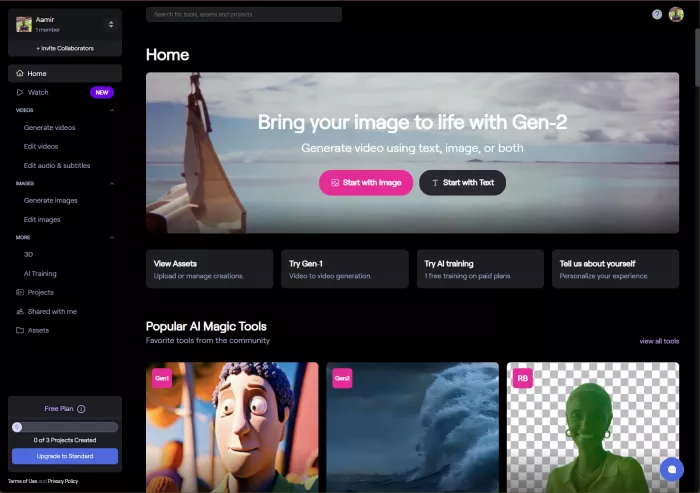
Best for: AI video creators, filmmakers, visual storytellers, music video makers, creative directors, and creators experimenting with generative visuals.
Where it fits in the creator workflow:
Runway fits into the creative video production stage. It is useful when creators want to generate AI video shots, turn images into moving scenes, create stylized visuals, test cinematic concepts, or add experimental effects to their content. It is not a simple scheduler or basic editing app. It works more like an AI creative studio for creators who want visually distinctive content.
What it helps you create:
| Creator Output | How Runway Helps |
| AI video shots | Generates video scenes from text or image prompts |
| Concept visuals | Helps creators test ideas before full production |
| Music video scenes | Creates stylized motion and cinematic-looking visuals |
| Social video backgrounds | Generates creative backgrounds for short-form content |
| Visual effects | Helps transform, extend, or stylize existing footage |
Best creator-focused features:
● Text-to-video tools help creators generate visual scenes from written prompts.
● Image-to-video tools can add movement to still images or concept art.
● Generative video tools help creators produce shots that would be difficult to film manually.
● Visual editing features are useful for experimental social videos, trailers, and creative campaigns.
● Credit-based plans allow creators to scale usage depending on how much AI video they generate.
Creator reality check:
Runway is powerful, but it is not the easiest tool on the list. It is best for creators who want to experiment visually and are willing to test prompts, adjust outputs, and spend credits. The results can look impressive, but AI video still needs human direction, taste, and editing before it feels publish-ready.
| What Creators Will Like | What Creators May Miss |
| Strong for cinematic and experimental AI visuals | Credit usage can add up quickly |
| Useful for image-to-video and text-to-video creation | Not ideal for simple everyday editing |
| Helps creators make content that looks different | There is a learning curve for better outputs |
Pricing: Runway has a free plan with limited credits. Paid plans start at $12/user/month billed annually for Standard. Pro costs $28/user/month billed annually, and Unlimited costs $76/user/month billed annually.
Best creator match: Runway is best for creators who want AI-generated video scenes, cinematic visuals, and experimental creative assets.
6. InVideo AI
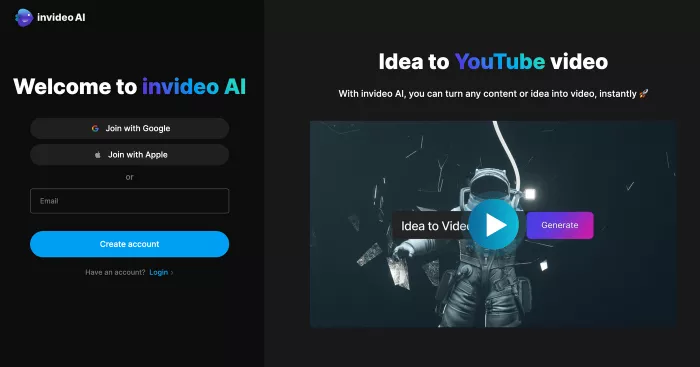
Best for: YouTubers, marketers, educators, business creators, and social media creators who want to turn prompts or scripts into videos quickly.
Where it fits in the creator workflow:
InVideo AI fits into the video creation stage, especially when creators need a first draft quickly. It is useful for turning prompts, scripts, product ideas, explainers, list concepts, and campaign topics into videos. Instead of building every scene manually, creators can describe the video they want and then refine the output.
What it helps you create:
| Creator Output | How InVideo AI Helps |
| Explainer videos | Turns written prompts or scripts into structured video drafts |
| Product videos | Helps create simple promotional videos with visuals and narration |
| YouTube videos | Converts topic ideas into video content with scenes and voice |
| Social videos | Creates short clips for marketing, education, or brand updates |
| List-style videos | Helps structure tips, rankings, and informational videos visually |
Best creator-focused features:
● Prompt-to-video generation helps creators move from idea to first draft quickly.
● Script-based workflows are useful for explainers, tutorials, and educational videos.
● Stock media access saves time when creators need visuals for different scenes.
● AI voice and audio tools help produce narration-based videos faster.
● Multiple creative models give creators more flexibility for different video styles.
Creator reality check:
InVideo AI is useful when speed matters more than frame-level control. It can help creators produce video drafts quickly, especially for marketing and educational content. The limitation is that AI-generated videos can feel templated if they are published without editing, so creators should still refine the structure, visuals, pacing, and voice.
| What Creators Will Like | What Creators May Miss |
| Fast prompt-to-video workflow | Less control than manual editing software |
| Useful for explainers and product videos | AI drafts often need editing before publishing |
| Good for creators who need video output at scale | Higher plans are needed for heavier usage |
Pricing: InVideo AI has limited free access. Paid plans start at $17/month billed annually for Plus. Max is listed at $85/month billed annually, while Generative is listed at $170/month billed annually.
Best creator match: InVideo AI is best for creators who want to turn ideas, prompts, or scripts into quick video drafts without building every scene from scratch.
7. ElevenLabs
Best for: Voiceover creators, YouTubers, podcasters, audiobook creators, educators, storytellers, game creators, and faceless channel owners.
Where it fits in the creator workflow:
ElevenLabs fits into the audio production stage. It is useful when a creator needs narration, voiceovers, dubbing, character voices, multilingual audio, or sound effects. For creators who make faceless videos, explainers, educational content, audiobooks, or story-based videos, ElevenLabs can reduce the need to record every line manually.
What it helps you create:
| Creator Output | How ElevenLabs Helps |
| YouTube narration | Generates realistic voiceovers from written scripts |
| Faceless videos | Helps creators produce voice-led videos without recording manually |
| Audiobooks | Converts long-form written content into narrated audio |
| Dubbing | Helps translate and voice content for other languages |
| Character voices | Supports storytelling, gaming, and fictional content formats |
Best creator-focused features:
● Text-to-speech helps creators generate narration from scripts quickly.
● Voice design and voice cloning can create more customized audio styles.
● Dubbing tools help creators adapt content for audiences in other languages.
● Sound effects tools can support richer storytelling and video production.
● Commercial licensing on paid plans makes it more useful for monetized creator work.
Creator reality check:
ElevenLabs is one of the strongest tools for realistic AI voiceovers, but creators need to use it responsibly. Voice cloning, dubbing, and narration should respect permissions, platform rules, and commercial rights. The best results also need a strong script because even a good voice cannot fix weak writing.
| What Creators Will Like | What Creators May Miss |
| Realistic AI narration for videos and audio | Voice cloning needs responsible use |
| Useful for faceless channels and explainers | Higher-volume creators may need paid tiers quickly |
| Supports dubbing and multilingual content | Generated voice still needs script quality and pacing |
Pricing: ElevenLabs has a free plan with monthly credits. Starter costs $6/month. Creator costs $22/month, Pro costs $99/month, Scale costs $299/month, and Business costs $990/month.
Best creator match: ElevenLabs is best for creators who need realistic voiceovers, narration, dubbing, or voice-led content at scale.
8. Notion AI
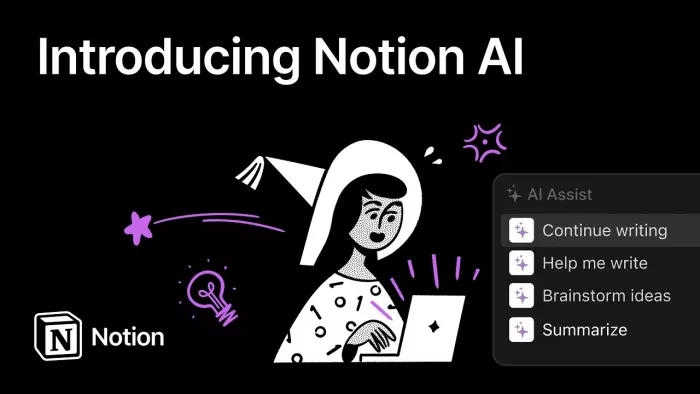
Best for: Creators who need a planning hub for content calendars, scripts, research notes, sponsorships, briefs, and publishing workflows.
Where it fits in the creator workflow:
Notion AI fits into the planning and organization stage of content creation. It is useful before and after production, when creators need to store ideas, organize scripts, manage calendars, track brand deals, collect research, draft briefs, or build a repeatable publishing system. It is not a design or editing tool, but it helps keep the whole creator operation structured.
What it helps you create:
| Creator Output | How Notion AI Helps |
| Content calendars | Organizes ideas, deadlines, platforms, and publishing status |
| Video briefs | Turns rough notes into structured production outlines |
| Script drafts | Helps expand ideas into outlines, talking points, or draft scripts |
| Research notes | Summarizes information and keeps source material organized |
| Sponsorship trackers | Helps creators manage brand deals, deliverables, and deadlines |
Best creator-focused features:
● AI writing tools help turn rough notes into outlines, briefs, and first drafts.
● Databases help creators organize content by platform, status, date, and campaign.
● Templates make it easier to build repeatable workflows for videos, blogs, newsletters, and social posts.
● Summaries are useful for research-heavy creators who collect long notes or documents.
● Workspace pages help creators keep scripts, calendars, ideas, and sponsorship details in one place.
Creator reality check:
Notion AI is best for creators who have too many ideas and not enough structure. It helps reduce workflow chaos, especially for creators managing multiple platforms. The limitation is that Notion AI does not replace Canva, CapCut, Descript, or other production tools. It organizes the work, but it does not create the final visual or video asset by itself.
| What Creators Will Like | What Creators May Miss |
| Excellent for planning and organizing content | Not a visual or video production tool |
| Useful for calendars, scripts, and brand deal tracking | Setup can take time at first |
| AI helps with outlines, summaries, and drafts | AI features may require credits or paid usage |
Pricing: Notion has a free plan. Plus costs $10/seat/month, while Business costs $20/seat/month. Notion AI features are available through trials and credits, with Notion credits starting at $10 per 1,000 monthly credits.
Best creator match: Notion AI is best for creators who need a serious content planning system instead of another editing app.
9. Buffer
Best for: Creators, personal brands, small businesses, and social media managers who need simple scheduling, publishing, caption help, and basic analytics.
Where it fits in the creator workflow:
Buffer fits into the publishing stage of the creator workflow. After content is written, designed, edited, or repurposed, Buffer helps creators schedule and publish it across social platforms. It is useful for creators who struggle with consistency and want a clean calendar instead of manually posting every day.
What it helps you create:
| Creator Output | How Buffer Helps |
| Scheduled social posts | Helps plan and queue posts across multiple platforms |
| Platform-specific captions | Uses AI to rewrite posts for different social channels |
| Content calendars | Helps creators see what is going out and when |
| Repurposed posts | Turns one idea into multiple platform-ready versions |
| Basic performance reports | Shows which posts are getting better engagement |
Best creator-focused features:
● AI Assistant helps brainstorm, rewrite, and adapt posts for different platforms.
● Scheduling tools help creators plan content ahead instead of posting manually.
● Analytics help creators understand which posts are performing better.
● First comment scheduling and hashtag tools are useful for Instagram-style workflows.
● The free plan is helpful for creators testing a simple publishing system.
Creator reality check:
Buffer is not a full creative production tool, but it is excellent for publishing discipline. It works best when creators already have content ready and need help staying consistent. The limitation is that it will not replace design, video editing, or voiceover tools. It is the final layer of the workflow, not the whole workflow.
| What Creators Will Like | What Creators May Miss |
| Simple scheduling without a heavy dashboard | Not a full design or editing tool |
| Good for consistent posting across channels | Advanced analytics are limited compared with enterprise tools |
| AI helps adapt captions quickly | Pricing grows as you add more channels |
Pricing: Buffer has a free plan for up to 3 channels. Essentials starts at $5/month per channel billed annually, or about $6/month per channel billed monthly. Team starts at $10/month per channel billed annually, or about $12/month per channel billed monthly.
Best creator match: Buffer is best for creators who already produce content but need help publishing consistently across multiple social platforms.
10. Pictory
Best for: Bloggers, educators, coaches, marketers, and creators who want to turn scripts, articles, URLs, or written ideas into videos.
Where it fits in the creator workflow:
Pictory fits into the repurposing and video creation stage. It is useful when a creator has written content and wants to turn it into a video without starting from a blank editing timeline. Bloggers can convert posts into short videos, educators can turn lesson scripts into explainers, and marketers can create social videos from product or article content.
What it helps you create:
| Creator Output | How Pictory Helps |
| Blog-to-video content | Turns blog posts and URLs into video drafts |
| Script-based videos | Converts written scripts into visual video formats |
| Educational explainers | Helps create narration-led videos from structured text |
| Social videos | Produces short video assets from written content |
| Marketing videos | Helps turn product or service copy into video content |
Best creator-focused features:
● Text-to-video helps creators turn scripts and articles into video drafts.
● URL-to-video can convert web pages and blog posts into visual content.
● Auto captions make videos more accessible and social-friendly.
● AI voices and avatars support narration-led content formats.
● Stock visuals help creators avoid building every scene manually.
Creator reality check:
Pictory is useful for creators who already write a lot and want to add video to their workflow. It is especially good for educational, marketing, and blog-based content. The limitation is that outputs can feel templated if the creator does not customize visuals, pacing, and narration.
| What Creators Will Like | What Creators May Miss |
| Great for turning written content into videos | Output may need editing to avoid a template feel |
| Useful for bloggers, educators, and marketers | Not ideal for cinematic or highly customized video work |
| Saves time finding visuals and adding captions | Advanced creative control is limited |
Pricing: Pictory offers a 14-day free trial. Starter costs $25/month when billed annually, while Professional costs $35/month when billed annually. Monthly billing is usually higher, and Enterprise pricing is custom.
Best creator match: Pictory is best for creators who want to convert blogs, scripts, articles, and educational content into video formats.
Which AI Tool Should Content Creators Choose?
The best AI tool depends on where the creator’s workflow gets stuck. Some creators do not need more ideas. They need faster editing. Some do not need another video tool. They need better planning. Others already have long videos but need a smarter way to turn them into short clips.
| Creator Need | Best Tool Options |
| Thumbnails, carousels, and brand visuals | Canva AI |
| TikTok, Reels, and Shorts editing | CapCut |
| Podcast and talking-head editing | Descript |
| Long video repurposing | OpusClip |
| AI-generated video scenes | Runway |
| Prompt-to-video creation | InVideo AI |
| Voiceovers, narration, and dubbing | ElevenLabs |
| Content calendars and planning | Notion AI |
| Scheduling and publishing | Buffer |
| Turning text into videos | Pictory |
For beginners, the most practical setup is Canva AI, CapCut, and Buffer. Canva helps with visual assets, CapCut handles short-form editing, and Buffer keeps publishing consistent. For video-heavy creators, Descript, OpusClip, Runway, and ElevenLabs add more production power. For bloggers, educators, and marketers, Pictory and Notion AI are especially useful because they turn written ideas into organized, reusable content.
Final Verdict
The best AI tools for content creators are not the tools with the most features. They are the tools that remove the slowest part of your workflow.
Choose Canva AI if design takes too long. Choose CapCut if short-form editing is your main workload. Choose Descript if you record podcasts, interviews, or talking-head videos. Choose OpusClip if you already make long videos and want more clips from them. Choose Runway or InVideo AI if you want to create videos faster with generative tools. Choose ElevenLabs if voiceover quality matters. Choose Notion AI if your content process is messy, and choose Buffer if posting consistently is the problem.
For most creators, the smartest approach is not to use all 10 tools. Build a small stack around your actual content style. A YouTuber may need Canva, Descript, OpusClip, and Buffer. A TikTok creator may only need CapCut, Canva, and ElevenLabs. A blogger or educator may get more value from Notion AI, Pictory, and Canva.
The right AI creator stack should make publishing easier without making the content feel generic. It should save time, clean up repetitive work, and leave enough room for the creator’s own voice, taste, and creative direction.



Comments