A good YouTube video is never “one tool and done.” Behind every upload there are at least seven invisible jobs: ideas, editing, polish, repurposing, thumbnails, SEO, and sometimes even fully generated videos. The smartest way to use AI is not to chase one magic app, but to hire the right specialist tool for each job in your production pipeline.
This guide walks through seven AI tools that map cleanly to those seven jobs so you can build a realistic, creator‑friendly workflow instead of a messy stack of overlapping apps.
The 7 jobs behind every YouTube video
Before picking tools, it helps to name the work you actually do:
● Job 1 – Turn loose ideas into a script you can record.
● Job 2 – Get from messy footage to a clean rough cut.
● Job 3 – Add captions, B‑roll, and visual polish.
● Job 4 – Turn long videos into Shorts and clips.
● Job 5 – Design thumbnails and channel visuals that get clicked.
● Job 6 – Optimize titles, tags, and topics so the video can be found.
● Job 7 – Create fully AI‑generated or avatar‑style videos when you don’t want to be on camera.
Now let’s match each of those jobs with one AI tool that does it unusually well, based on how creators and reviewers are talking about them in 2026.
1. Scripting & Planning : Jasper for YouTube
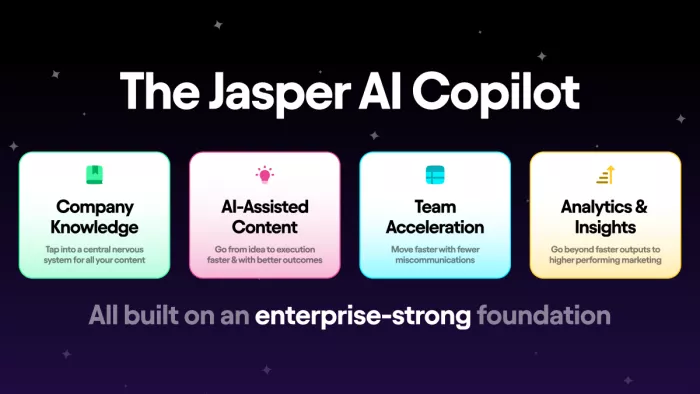
Most creators are not short on ideas; they are short on structured, recordable scripts. Jasper is often mentioned as a content‑focused AI assistant that can generate outlines, hooks, and scripts specifically for YouTube, using brand voice and templates rather than generic essays.
The workflow is straightforward: you feed it your topic, audience, and angle, then pick a YouTube‑oriented template to get a structured script with intro, segments, and outro. You still refine the wording to match your personality, but you no longer start from a blank page. This makes Jasper useful for channels that rely on consistent publishing schedules and want scripts that already respect watch‑time structure.
Pricing snapshot (Jasper)
| Plan | Price (monthly, billed yearly) |
| Creator | around $39/month |
| Pro | around $59/month |
| Business | Custom pricing |
2. Rough Cut Editor : Descript
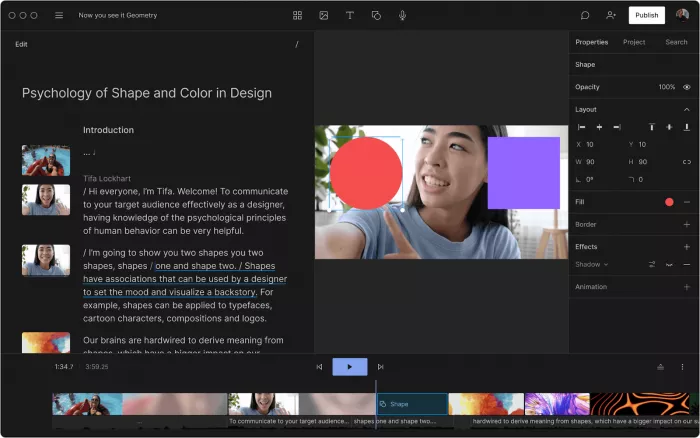
The rough cut is where most time disappears. Descript treats your video like a document: it transcribes your footage and lets you edit by cutting text, which in turn cuts the underlying audio and video. It appears regularly in 2026 lists of AI video tools because this “edit text to edit video” approach is still one of the biggest time savers for talking‑head and podcast‑style content.
Practically, you import your recording, let Descript auto‑transcribe, and then delete filler words, mistakes, and dead sections in text form. Descript updates the cut, applies AI filler word removal, and can even clone your voice for minor patch fixes. For channels built around commentary, tutorials, interviews, and screen recordings, Descript is an easy way to get from raw to usable without living on a traditional timeline.
Pricing snapshot (Descript)
| Plan | Price (monthly) |
| Free | $0, limited transcription & export |
| Creator | about $16/month |
| Pro | about $32/month |
3. Captions, B‑Roll & Polish : CapCut
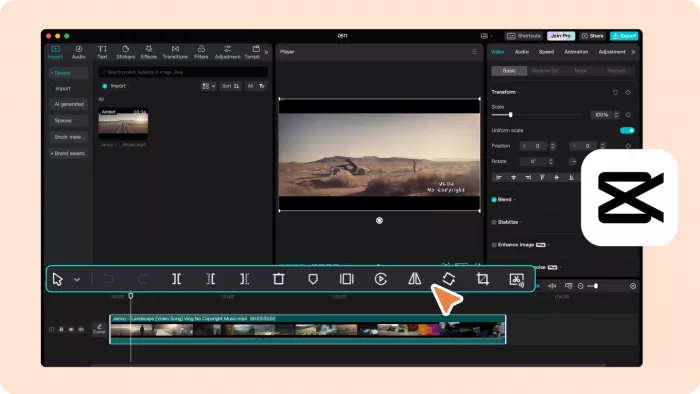
Once the rough cut is in place, you still need captions, B‑roll, zooms, and on‑screen text that keep people watching. CapCut has become a go‑to AI‑assisted editor for YouTubers because it bundles auto‑captions, smart cuts, effects, and templates in one editor that works on desktop and mobile, with a shallow learning curve.
You drag your video in, ask CapCut for subtitles generation, tweak styles to match your brand, and drop in B‑roll or overlays recommended by its library and templates. For Youtube Shorts and social‑first videos in particular, this stage can turn a static talking head into something that feels dynamic and optimized for small screens, without needing a high‑end NLE.
Pricing snapshot (CapCut)
| Plan | Price (monthly) |
| Free | $0, with watermark or feature limits |
| CapCut Pro | from around $4.99/month in many regions |
4. Long‑Form to Shorts : OpusClip
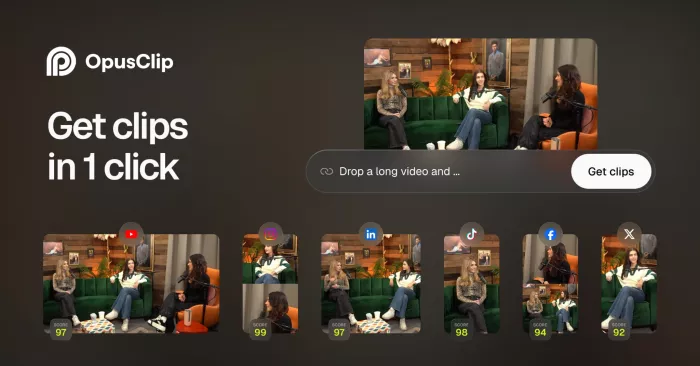
YouTube now rewards channels that feed both long‑form and Shorts, but manually cutting highlights from a 30‑minute video is exhausting. OpusClip uses AI to scan a long video, detect “viral‑style” moments, and automatically cut them into vertical clips with captions and appropriate framing. It is consistently recommended in 2026 guides as a top “clip repurposing” tool.
The experience is simple: upload a long video, let OpusClip analyze hooks, punchlines, and topic shifts, and then review a batch of suggested clips. Each clip comes formatted for Shorts/Reels/TikTok, often with captions and layout already done. For educational and commentary channels, this turns one long upload into a week of vertical content with much less manual labor.
Pricing snapshot (OpusClip)
| Plan | Price (monthly) |
| Free | $0, limited clip minutes |
| Starter | about $15/month |
| Pro / higher | more clip minutes and features, higher monthly pricing |
5. Thumbnails & Channel Branding : Canva
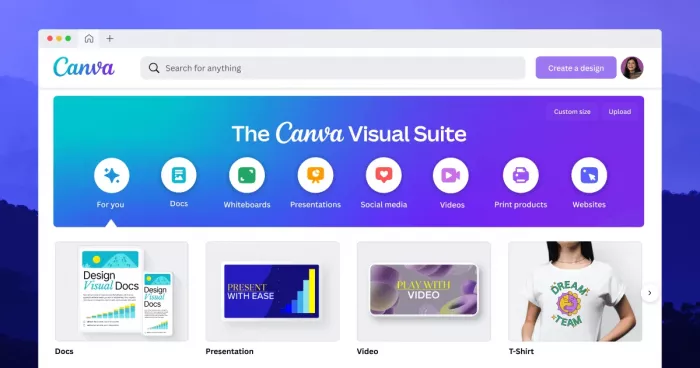
Thumbnail design is effectively a separate job: you need a poster designer who understands faces, text, and brand consistency. Canva’s AI‑enhanced tools (Magic Media, Magic Edit, background removal, and large template library) make it a natural choice for YouTube thumbnails and channel art, which is why it shows up in many 2026 YouTube tool roundups.
You can start from YouTube thumbnail templates, drop in your own photo, remove the background automatically, and add bold text with consistent fonts and colors. The AI features help you generate or edit elements quickly, but the real value is in having a repeatable thumbnail style that your audience recognizes. For creators without a dedicated designer, Canva is often the easiest way to keep visuals on-brand.
Pricing snapshot (Canva)
| Plan | Price (monthly) |
| Free | $0 |
| Pro | around $15/month for one person, with AI credits & full asset library |
| Teams | higher pricing for multiple seats |
6. SEO, Titles & Topic Strategy : vidIQ

Great videos die quietly if no one can find them. vidIQ is built specifically around YouTube SEO and channel intelligence, and its recent AI features help with keyword ideas, title suggestions, description drafts, and content planning based on what already works in your niche. It is frequently cited as a must‑have alongside TubeBuddy for serious YouTubers.
In practice, you install the browser extension, connect your channel, and then use vidIQ’s tools to analyze competitors, find keyword gaps, and generate optimized titles and descriptions. On higher tiers, it also offers AI-driven prompts for video ideas and guidance on what topics your channel should cover next. This turns SEO from guesswork into a structured part of your workflow.
Pricing snapshot (vidIQ)
| Plan | Price (monthly) |
| Basic | Free |
| Pro | about $7.50/month |
| Boost | around $39/month and up, depending on channel count |
7. Fully AI‑Generated or Avatar Videos : HeyGen
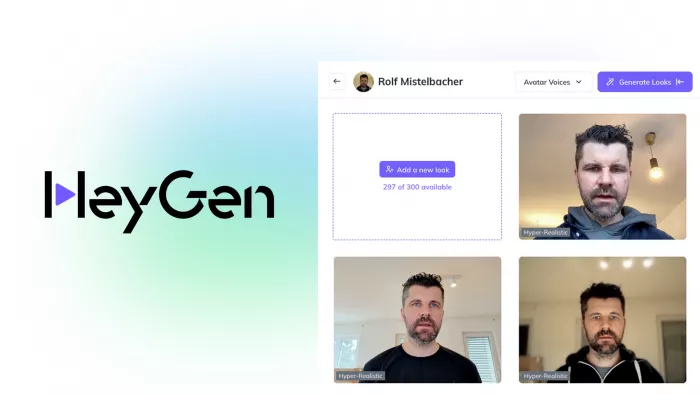
There are times when you need a video but do not want to be on camera at all. HeyGen is one of the leading AI avatar and script‑to‑video tools in 2026, regularly featured in “best AI video generator” lists for business explainers, faceless channels, and multilingual content.
You paste your script, choose an avatar and voice, select a layout, and let HeyGen render a video where a virtual presenter delivers your lines. It is ideal for product explainers, training modules, and informational content where the brand and clarity matter more than a personal vlog style. For multilingual channels, you can also localize content without re‑shooting.
Pricing snapshot (HeyGen)
| Plan | Price (monthly, billed yearly) |
| Free | $0, limited exports |
| Creator | around $24/month |
| Business | higher tiers with more minutes and features |
Quick comparison
| Tool | Best For | What It Does Best | Starting Price |
| Jasper | Script planning and idea structuring | Turns rough concepts into recordable YouTube scripts and outlines | Pro plan from $59/month |
| Descript | Rough-cut editing | Lets you edit video by editing text, with transcription and cleanup tools | Free; paid from $16/month |
| CapCut | Captions and visual polish | Fast subtitles, templates, effects, and social-friendly editing | Free; Pro from around $4.99/month in many regions |
| OpusClip | Turning long videos into Shorts | Finds highlight moments and reformats them into vertical clips | Free; paid from about $15/month |
| Canva | Thumbnails and channel branding | Makes thumbnail design fast with templates and AI-assisted editing | Free; Pro from around $15/month |
| vidIQ | YouTube SEO and topic strategy | Helps with titles, keyword research, topic planning, and channel insights | Free; Max plan shown at $39/month, enterprise also available |
| HeyGen | Avatar and faceless videos | Converts scripts into presenter-led AI videos with avatars and voices | Free; Creator from around $24/month |
Final Assessment
There is no single best AI tool for YouTube video creation because these tools solve different bottlenecks in the workflow. Descript is the strongest pick for creators who spend too much time cutting talking-head footage, OpusClip is the easiest way to multiply one long video into Shorts, and Canva remains the most practical choice for fast thumbnail production.
If the goal is channel growth, vidIQ is the smartest strategic add-on because it helps before and after the edit, especially with titles, keyword direction, and content planning. If the goal is speed without being on camera, HeyGen is the better fit, while Jasper is more useful for channels that struggle to turn ideas into structured scripts on a schedule.
For most creators, the best stack is not all seven tools. A practical setup would be Descript for editing, CapCut for polish, Canva for thumbnails, and vidIQ for SEO; then add OpusClip if Shorts matter and HeyGen if you want faceless or multilingual videos.



Comments