Every week there is a new must-have AI tool, and every pitch sounds identical. As a small business owner you have neither the hours to test forty of them nor the budget to waste on the wrong ones. You already know the big chatbots, so this is not another list of those. These are the lesser-known, purpose-built tools that quietly do one job better than any general assistant, organized by the work itself, with real costs and honest limits. Find your worst bottleneck and fix that one first.
Also Check out a framework for how to buy, covering pricing models, the privacy questions to ask, and whether a tool deserves renewal after 60 days, so read AI tool buying guide for small businesses.
How to think about this before you buy anything
Three rules save you from a drawer full of unused subscriptions.
Start with your most repetitive time-sink, not the flashiest tool. If customer emails eat your mornings, fix that. If your books are a mess, fix that. The right first tool is the one that removes work you already do every single day.
A specialist usually beats a generalist for a specific job. A general chatbot can draft a caption, but a tool built for social scheduling will write it, format it per platform, and post it on a schedule. For the one task you do constantly, the purpose-built tool is worth more than the all-rounder everyone already has.
One tool doing 80 percent of a job beats five tools you never fully set up. Adopt one thing, use it properly for a few weeks, prove it saves you time, then add the next. That is the whole method.
And keep a human in the loop for anything a customer sees or any money that moves, at least until you trust the output.
Writing and communication
Every business writes all day, so this is a high-return place to start. The trick is grounding the AI in your own material instead of settling for generic output.
1. NotebookLM
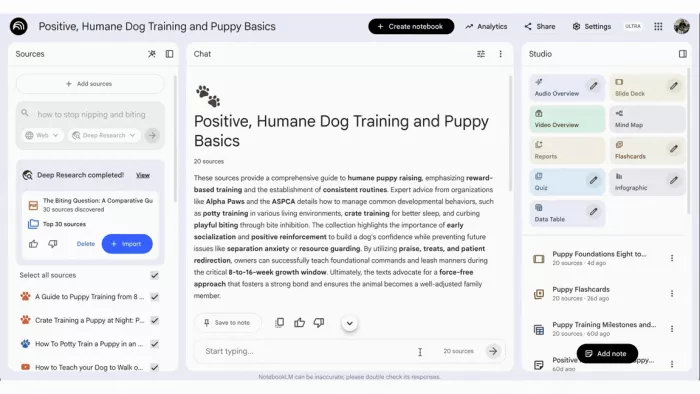
NotebookLM works nothing like a normal chatbot. Instead of answering from the whole internet, you load your own material into it, PDFs, contracts, past proposals, policy documents, and it answers questions using only those sources. Because it is confined to what you give it, it does not invent facts the way an open chatbot will, so an answer about your cancellation terms or a past quote comes straight from your files with a citation. It becomes a searchable memory of your business, and it can even turn a stack of documents into a short listenable audio summary.
The honest limit is that it only knows what you feed it, so it is a research and answering tool, not a blank-page writer, and the free tier caps heavy days.
● Cost to start: free.
● Best for: anyone sitting on a pile of reference material who keeps re-reading it to answer the same questions.
2. Grammarly
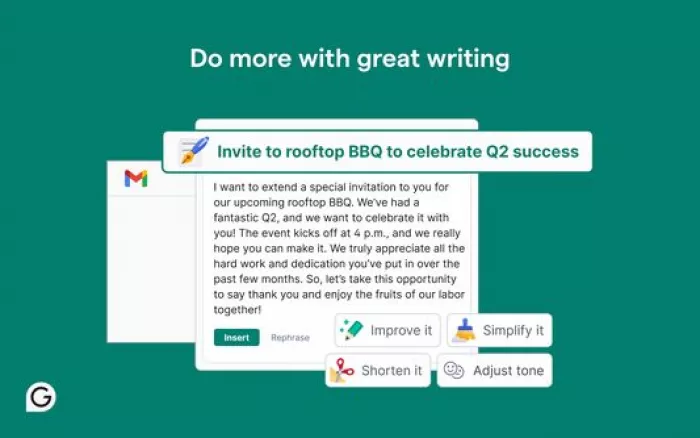
Grammarly checks grammar, clarity, and tone in real time almost everywhere you type, inside Gmail, Docs, and most text boxes on the web. The feature that earns its keep is the tone detector, which flags when an email reads colder or sharper than you meant before you hit send. Its free tier is genuinely useful rather than a demo, so most people never need to pay.
The honest limit is that it needs to read your text to check it, so read its data handling before using it on confidential work.
● Cost to start: free, with a Business tier from about $15 a member a month that enforces one brand voice across a team.
● Best for: anyone who writes professional emails and messages all day and wants a safety net across every app.
Customer support and answering questions
Customers expect fast answers, and you cannot sit at a keyboard all night. A support-specific AI answers the repetitive questions so you only handle the ones that need you. Watch the pricing model here more closely than anywhere else.
3. Tidio (with Lyro AI)
Tidio is a live-chat and chatbot tool for small e-commerce and service businesses, and its Lyro AI does the heavy lifting. It sits on your website, answers routine questions around the clock using your own content, and hands the conversation to you the moment something gets complicated. The questions that fill most inboxes, where is my order, what are your hours, how do returns work, get answered instantly at midnight, so you stop losing sales and leads while you sleep.
The catch is the pricing model, and it is the single most important thing to understand. The free Lyro allowance is 50 AI conversations total, not per month, so a busy site burns through it in a week. After that the AI add-on starts around $32 to $39 a month for another 50, scaling with volume, so multiply your real monthly chat count against that rate before committing.
● Cost to start: free to trial, but budget for the Lyro add-on past 50 conversations.
● Best for: a shop getting the same shipping, hours, and returns questions dozens of times a day.
4. Chatbase
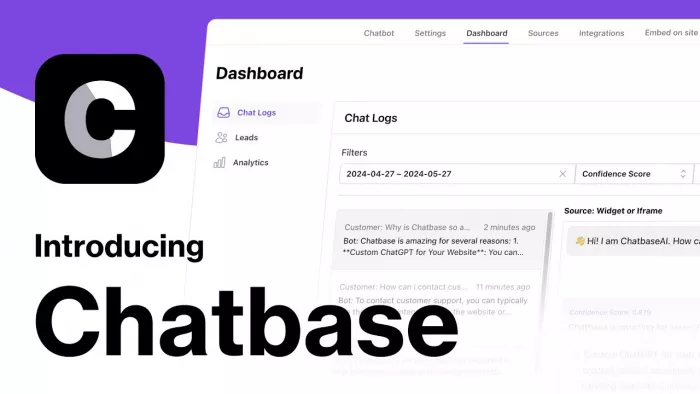
Chatbase is the simpler alternative when all you want is a chatbot trained on your own site and documents, without a full support suite around it. You feed it your pages and FAQs, and it answers customer questions from that knowledge with almost no setup, then embeds on your site in minutes. It suits an owner who wants a no-code FAQ bot rather than live-chat, ticketing, and automation bundled together.
The honest limit is that it is narrower than Tidio, focused on answering from your content rather than managing a whole support operation with human agents.
● Cost to start: a free trial to test, with entry paid plans from a low monthly rate.
● Best for: a small business that mainly needs a fast, self-serve bot for common questions.
Do not add either until your question volume actually justifies it. A business fielding a handful of emails a day does not need a chatbot yet.
Marketing and social media
Showing up consistently is most of the battle, and it is the first thing that slips when you get busy. Tools built for social take the blank-page problem and the scheduling off your plate at once.
5. Buffer
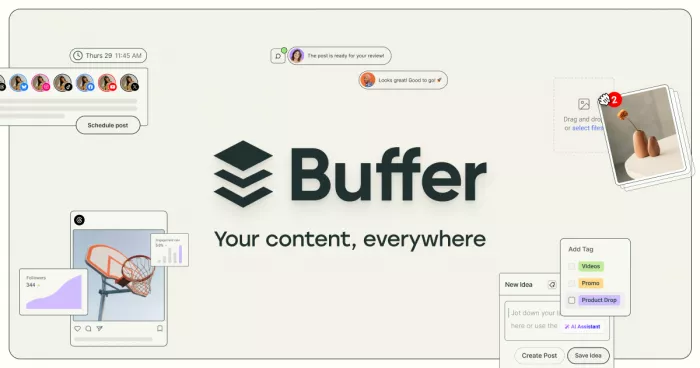
Buffer is a social media manager with AI baked into the part that usually stalls you: deciding what to post and posting it. It generates post ideas for your industry, writes captions in your brand voice, and schedules across Instagram, Facebook, LinkedIn, X, and TikTok from one dashboard. The feature that earns its place is repurposing: you write one idea once, and it spins out platform-specific versions, letting you queue a whole week in about ten minutes.
The honest limit is that AI captions still need your eye, or they drift into the generic voice everyone can now spot. Treat it as a fast first draft and a scheduler, not full autopilot.
● Cost to start: the free plan covers three channels, and paid plans start around $6 per channel a month.
● Best for: any owner who knows they should post regularly and keeps not doing it.
6. Jasper
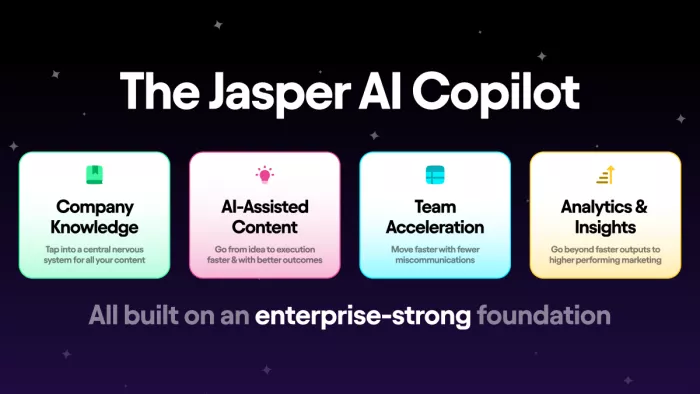
Jasper is a marketing-content tool rather than a general writer, and that focus is the point. You train it on your brand voice and products, and it drafts blog posts, ad copy, email campaigns, and product descriptions in that voice, with templates for dozens of content types. For a business producing regular marketing content, it cuts hours off the writing while keeping the tone consistent across everything.
The honest limit is price and audience. It is built for teams producing content at volume, not casual use, and starts at roughly $59 a month, so it only pays off if content is a real part of your week.
● Cost to start: from about $59 a month, with a short free trial.
● Best for: a business spending ten or more hours a week on marketing content that needs one consistent voice.
Design and visuals
You do not need a design budget or a hired designer anymore, and a couple of specialist tools go further than a general image generator.
7. Canva (with Magic Studio)

Canva is the design tool built for people who are not designers, and its Magic Studio AI does much of the work. It generates images, builds social graphics, resizes one design to fit every platform, and drafts copy, all in an interface you can learn in an afternoon. Its strength is speed over fuss: you pick a template, let the AI fill and adjust it, and export something professional in minutes, with the resize feature alone saving a tedious hour turning one design into correctly sized versions everywhere.
The honest limit is that AI image generation has a monthly credit cap, and Canva favors quick, good-enough output over fine professional control. For routine visuals that trade is right; for high-stakes brand work it is not a designer.
● Cost to start: the free plan is generous; Pro adds the full AI toolkit and a brand kit.
● Best for: any business making regular social or marketing visuals without a dedicated designer.
8. Recraft

Recraft fills one gap almost no other AI tool can. It generates true vector graphics, the kind you can export to Illustrator or Figma and scale to any size without losing quality, including for print. Most AI image tools only make flat pixel images that fall apart when enlarged. If you need a clean logo mark, a set of matching icons, or anything that must look sharp on both a business card and a banner, that is the difference between usable and useless.
● Cost to start: a free tier to test.
● Best for: anyone who needs a scalable logo, icon, or vector rather than a one-off image.
Admin, scheduling and meeting notes
This is where hours quietly disappear, and it is the least glamorous and most valuable place to automate.
9. Granola
Granola is a meeting-notes tool built around one choice that changes everything: no bot joins your call. It captures your computer's audio directly in the background, so there is no "recording has started" announcement and no awkward robot on a sensitive client, sales, or hiring call. You jot rough notes during the conversation, and it turns them into a clean summary with action items seconds after you hang up, enhancing what you wrote rather than replacing your judgment. On the paid tier it pushes those notes into tools like Slack and Zapier.
The honest limit is that it is a desktop app for Mac and Windows with no web version, speaker labelling gets shaky with several people talking, and it stops at notes rather than drafting your follow-ups.
● Cost to start: free Basic with limited history; Business is $14 a user a month for unlimited history and integrations.
● Best for: anyone in constant calls who never writes them up, especially where a visible bot would be a problem.
10. Gumloop

Gumloop connects your separate apps into an actual system, and unlike older automation platforms it was built AI-first rather than bolted on. You build workflows by dragging and dropping steps, except the steps can include real AI actions, not just rigid if-this-then-that rules, so a workflow can make judgment calls. A single flow can catch an incoming enquiry, pull the relevant details, draft a tailored reply, and log the lead, without you touching any step in between.
The honest limit is that it rewards a little upfront setup and clear thinking about the workflow, so it is not quite plug-and-play on day one. Once built, a flow runs quietly for good.
● Cost to start: a free tier to start.
● Best for: an owner drowning in repetitive manual handoffs between existing apps.
Bookkeeping and the numbers
Finances are the number one stress for most owners and the easiest to fall behind on. This is the one function worth automating fully before you touch anything else.
11. QuickBooks (with Intuit Assist)
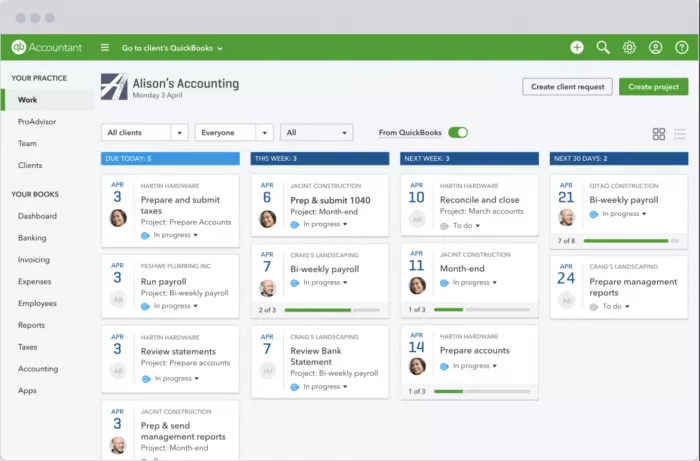
QuickBooks is the default small-business accounting tool for a reason, and its Intuit Assist AI removes much of the grind. It connects to your bank, pulls in transactions automatically, and categorizes them, learning your regular suppliers and expenses as it goes. The standout is being able to just ask: type "what were my top five expenses last quarter" and get an immediate answer instead of building a report. It also flags unusual charges and forecasts cash flow from your history, and the month-end reconciliation that used to eat an evening shrinks when transactions arrive already sorted.
The honest limit is cost and tiering. The powerful features sit in higher plans, and Intuit raised prices across the board in 2026, with Plus now around $110 a month.
● Cost to start: from roughly $35 a month on entry tiers, Plus around $110 a month.
● Best for: any business past the shoebox-of-receipts stage that wants bookkeeping mostly automated.
12. Xero
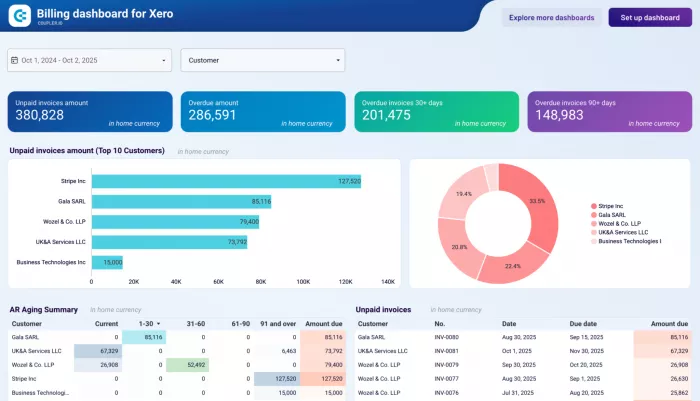
Xero is the lighter, often cheaper alternative, and a strong pick if QuickBooks feels heavier or pricier than you need, especially for businesses working internationally. It covers the same core ground, bank feeds, automatic categorization that learns your patterns, and clean reporting, with a simpler feel that many solo owners and small teams prefer.
The honest limit is that its deepest features and some integrations are less extensive than QuickBooks at the top end, though most small businesses never reach that ceiling.
● Cost to start: entry plans from a low monthly rate, typically below QuickBooks.
● Best for: a solo owner or small team who wants straightforward, affordable AI-assisted books.
Keep a human in the loop here. Let the AI categorize and reconcile, but review anything before it feeds your taxes.
Starter stacks by business type
Skip the menu. Here are four small, pre-built stacks. Pick the one closest to you and start with its first tool.
The solo service provider (consultant, coach, freelancer) NotebookLM to answer from your own documents, Granola for client-call notes, and Xero for the money. Add Canva when you need a deck. Roughly free to $30 a month to start.
The local shop or trades business (salon, cafe, plumber, cleaner) Buffer's free tier for posting, Canva for visuals and menus, Chatbase or Tidio only once customer questions become a daily load, and QuickBooks for the books. Well under $100 a month.
The online seller (e-commerce, Etsy, small DTC brand) Buffer for scheduling, Canva plus Recraft for product and logo graphics, and Tidio once your chat volume is real, watching the per-conversation pricing as it climbs. NotebookLM to keep supplier and product info answerable.
The one-person creative studio (designer, marketer, small agency) Recraft for vector work, Canva for fast visual output, Gumloop to connect your lead and project tools, and Granola for client calls. Layer in Jasper if you produce a lot of content.
What to skip for now
Naming what you do not need saves as much money as any recommendation.
Skip expensive all-in-one enterprise platforms with long onboarding. If setup takes weeks or needs a developer, it is not built for you, and there is almost always a plug-and-play alternative that is.
Skip anything that duplicates what your existing software already does. Your accounting app, your email, and your storefront may already have AI features baked in. Turn those on before you buy a second tool for the same job.
Skip the tools that are just a general chatbot in a costume. Many "built for small business" products are a thin wrapper over a model you could use directly, charging a premium for it. Be slow to pay extra for a specialist until you have hit a real limit, and be equally slow to pay for a generalist dressed up as one.
And skip pasting sensitive customer data or financial records into free AI tools without reading the terms first. It is not a reason to avoid AI, just a reason to check what a given tool does with what you feed it before you feed it anything private. Some tools train their models on your inputs by default.
The whole point and the cost
Here is a realistic starter setup and what it runs.
| Function | Tool | Cost to start |
| Answering from your own docs | NotebookLM | Free |
| Writing polish | Grammarly | Free |
| Marketing and social | Buffer | Free for 3 channels |
| Design and visuals | Canva (+ Recraft) | Free tiers |
| Meeting notes | Granola | Free, or $14/user/mo |
| Automation | Gumloop | Free tier |
| Bookkeeping | Xero or QuickBooks | From ~$35/mo |
Bottom Line
A solo owner can cover their biggest time sinks on free tiers alone, then pay only where the volume proves it out, often landing under $50 a month once one or two tools graduate to paid. The goal was never to look modern or to own the most tools. It is to buy back hours you are currently spending on work a machine can do, so you can spend them on the work only you can do. One tool adopted properly beats ten sitting unused, so start with one, this week, and pick the job you hate most.



Comments