Graphic design is undergoing its most dramatic transformation since the shift from analog to digital, and AI tools are the catalyst. Whether you're frustrated by repetitive design tasks, limited by template-driven workflows, or simply looking to accelerate production without sacrificing quality, the right AI tool can multiply your creative output while maintaining professional standards. From native vector generation to photorealistic image creation and text rendering that actually works, these eight platforms represent the cutting edge of AI-powered design.
This guide cuts through the hype to reveal which tools deliver genuine productivity gains, transparent pricing, and outputs ready for commercial use.
1. Midjourney : The Aesthetic Quality Leader

What Midjourney Delivers
Midjourney stands out because its images consistently look polished, artistic, and visually striking. While many AI image tools focus on adding more features, Midjourney prioritizes aesthetic quality, especially for stylized, editorial, conceptual, and design-led visuals.
It now supports both Discord and web-based workflows, making it easier for designers to create mood boards, art direction concepts, and campaign visuals with less post-processing. Its IP-cleared or licensed training approach and higher-plan Stealth Mode also make it a safer option for commercial and client projects.
Advantages and Limitations
| Advantages | Limitations |
| Industry-leading aesthetic quality for stylized and editorial imagery | No built-in editing tools requiring separate software for refinements |
| IP-cleared training data provides commercial safety | No free plan available for testing before commitment |
| Stealth Mode keeps client work and unreleased projects private | Limited to roughly 200 generations monthly on entry $10 tier |
| Dedicated web interface alongside Discord workflow options | Generate-download-edit workflow fragments creative process |
| Outputs require minimal post-processing compared to alternatives | Typography and text rendering remain weak points |
Pricing Structure
| Plan | Monthly Price | Annual Price | Key Features |
| Basic | $10/month | $8/month | ~200 generations monthly, basic access |
| Standard | $30/month | $24/month | Unlimited Relax Mode for extended generation |
| Pro | $60/month | $48/month | Stealth Mode for private generations, full features |
| Mega | $120/month | $96/month | Maximum generation capacity for heavy users |
Best For
Midjourney excels for designers who need high-quality visual concepts, mood boards, and art direction assets where aesthetic quality determines project success. If your work leans editorial, atmospheric, or conceptual rather than functional and template-driven, Midjourney delivers results that feel intentional and crafted rather than obviously AI-generated.
2. Adobe Firefly : The Ecosystem Integration Champion
What Adobe Firefly Delivers
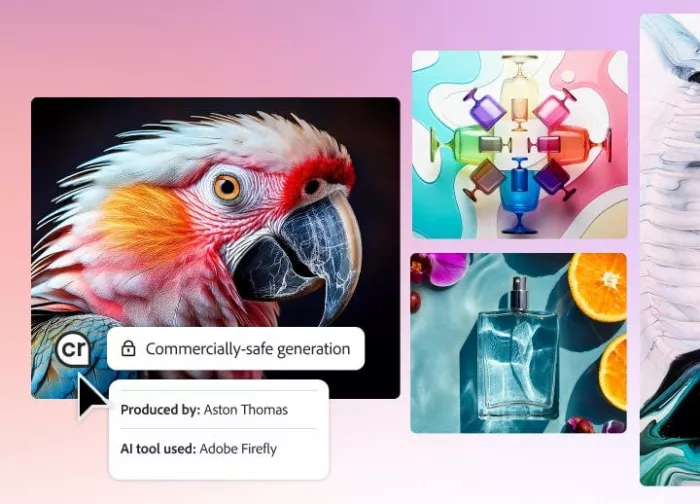
Adobe Firefly is the AI engine behind Generative Fill in Photoshop, text-to-image in Adobe Express, and other asset-generation tools across Creative Cloud. For designers already using Adobe apps, Firefly feels less like a separate platform and more like a built-in creative assistant inside their existing workflow.
Its biggest advantage is commercial safety. Firefly is trained on Adobe Stock, openly licensed content, and public domain material, making it a stronger option for agencies, brands, and client work where copyright risk matters. With tools like Generative Fill, Scene to Image, and AI-powered video/audio features, it helps teams create and edit faster without leaving Photoshop, Illustrator, or Express.
Advantages and Limitations
| Advantages | Limitations |
| Seamless integration with Photoshop, Illustrator, and Express workflows | Outputs tend to be competent but conservative lacking artistic surprise |
| Commercially safe training data from Adobe Stock and licensed content | Prioritizes safety and consistency over artistic range and experimentation |
| Generative Fill and Scene to Image transform production efficiency | Requires Creative Cloud subscription for full integration benefits |
| Audio translation and video project capabilities extend beyond images | Free tier provides limited generations before credit purchase required |
| Content Credentials provide transparency for AI-generated assets | Less visually impressive than Midjourney or Reve for pure aesthetics |
Pricing Structure
| Plan | Monthly Price | Credits | Key Features |
| Free | $0 | Limited generations | Basic testing without financial commitment |
| Standard | $9.99/month | 2,000 credits | Entry-level professional use with reasonable allocation |
| Pro | $19.99/month | 4,000 credits | Enhanced credit pool for regular production workflows |
| Premium | $199.99/month | 50,000 credits | Enterprise-level usage for high-volume teams |
Best For
Adobe Firefly serves designers and teams already embedded in the Adobe ecosystem who want AI generation without workflow disruption. If Photoshop and Illustrator are your daily tools and you value commercial safety over aesthetic experimentation, Firefly removes the friction of switching between your design application and a separate AI generator while maintaining IP protection standards.
3. Kittl : The Multi-Model Design Platform

What Kittl Delivers
Kittl has grown from a print-focused design tool into a broader AI design platform for branding, merchandise, social media, and graphic design. Its browser-based editor includes an infinite canvas, real-time collaboration, vector editing, advanced text effects, and a large library of premium templates and mockups.
Its main strength is how many AI tools are built directly into the editor. Kittl supports multiple image-generation models, along with an AI vector generator, background remover, image upscaler, and vectorizer. Its Creative Flows feature is especially useful because it lets designers turn repeated multi-step tasks into reusable one-click workflows.
Advantages and Limitations
| Advantages | Limitations |
| Access to 15+ AI models from OpenAI, Google, ByteDance in one platform | Still leans heavily toward template-based design limiting blank canvas work |
| Creative Flows chain AI tools into reusable pipelines for efficiency | AI generation quality depends on which model you select |
| AI vector generator produces editable SVG output directly | Token consumption varies per model making budgeting unpredictable |
| Used by design teams at Pentagram, Netflix, Ogilvy, and Uber | Not a substitute for UI/product design tools like Figma |
| 10,000+ premium templates and mockups included | Heavy users on Pro plan may hit token limits quickly |
Pricing Structure
| Plan | Monthly Price | Annual Price | AI Credits | Key Features |
| Free Trial | $0 | N/A | 200 one-time credits | Testing capabilities without commitment |
| Pro | $15/month | $10/month | 2,000 monthly | Core features for regular design work |
| Expert | $35/month | $26/month | 6,000 monthly | Enhanced capacity for professional workflows |
| Max | $65/month | $48/month | 12,000 monthly | Maximum volume for agency-level production |
Best For
Kittl excels for graphic designers, brand designers, and freelancers creating logos, branding materials, print collateral, merchandise graphics, and social media content. The platform is particularly strong if you need multi-model AI generation and production-ready export in one unified workspace without managing separate subscriptions for different AI engines.
4. Ideogram : The Typography Rendering Specialist
What Ideogram Delivers
Ideogram stands out because it handles text inside AI-generated images far better than most competitors. While many tools still produce distorted or unreadable lettering, Ideogram is especially useful for posters, social media graphics, logos, thumbnails, and any design where typography matters.
Beyond text accuracy, it also offers practical creative features like Magic Prompt, batch generation through CSV uploads, and style control using up to three reference images. For graphic designers, this makes Ideogram a strong option when the final image needs both visual quality and readable design elements.
Advantages and Limitations
| Advantages | Limitations |
| 90% text rendering accuracy far exceeds competitor capabilities | For purely photorealistic outputs Midjourney and Reve produce more refined results |
| Magic Prompt expands brief ideas into detailed generation instructions | Strength is functional design assets not gallery-quality fine art |
| Batch generation handles up to 500 prompts via CSV for volume work | Free tier limits access and makes all generations public |
| Style control through three reference images guides aesthetic direction | Typography focus means less optimization for other use cases |
| Strong practical advantage for text-heavy design applications | Priority credits system creates tiered generation speeds |
Pricing Structure
| Plan | Monthly Price | Annual Price | Credits | Key Features |
| Free | $0 | N/A | Limited access | Public generation with usage restrictions |
| Plus | $20/month | $15/month | 1,000 priority + unlimited slow | Private generations with reasonable capacity |
| Pro | $60/month | $42/month | 3,500 priority + batch | Batch generation for volume production workflows |
| Team | $30/user/month | $20/user/month | 1,500 priority per user | Collaborative access for design teams |
Best For
Ideogram serves graphic designers who create posters, social media content, banners, and logo concepts where text legibility in AI-generated images is a non-negotiable requirement. If your designs combine imagery with readable text, headlines, or logotypes rather than purely visual compositions, Ideogram is the clear category leader.
5. Recraft : The Native Vector Generation Pioneer
What Recraft Delivers
Recraft stands out because it generates native vector graphics, not just PNG or JPG images. That makes it especially useful for designers creating logos, icons, illustrations, and scalable brand assets that need to be edited later in tools like Illustrator or Figma.
It also includes a strong editing toolkit with background removal, AI eraser, upscaling, raster-to-SVG vectorization, and support for raster images, vectors, 3D objects, and mockups. Its custom style feature is another major advantage, letting designers use reference images to create a reusable visual style for consistent brand assets.
Advantages and Limitations
| Advantages | Limitations |
| Native SVG output eliminates raster-to-vector conversion entirely | Credit system can feel restrictive for heavy production users |
| Custom style creation without model training for brand consistency | Free tier generous for testing but production requires paid plan |
| Handles raster images, vectors, 3D objects, and mockups in one platform | Pricing tiers use different rates for monthly vs annual making comparison confusing |
| Strong text rendering in generated images | Monthly credit renewal vs daily refresh creates planning uncertainty |
| Accurate prompt adherence for complex multi-character scenes | Teams tier at $69/user monthly expensive for small studios |
Pricing Structure
| Plan | Monthly Price | Annual Price | Credits | Key Features |
| Free | $0 | N/A | 30 daily credits | Credits renewed daily for ongoing testing |
| Pro | $12/month | $10/month | From 1,000 monthly | Professional access with monthly credit renewal |
| Teams | $69/user/month | $55/user/month | 9,000 monthly | Collaborative workflows for design teams |
Best For
Recraft excels for graphic designers, brand designers, and icon designers who need AI-generated vector assets that integrate into professional workflows. If your deliverables need to be SVG format or you work primarily in vector tools like Illustrator, Recraft eliminates the tedious raster-to-vector conversion step while the custom style system makes it a strong pick for teams producing high-volume branded content.
6. Canva Magic Studio : The Template-First AI Platform
What Canva Magic Studio Delivers
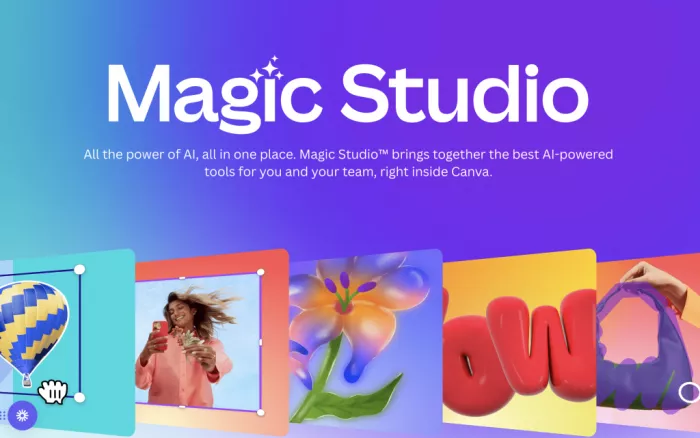
Canva remains one of the most practical design tools for non-designers, and its Magic Studio features make it even more useful for faster content creation. It includes AI text-to-image generation, background removal, Magic Eraser, and auto-resize tools for turning one design into multiple social media formats.
Its biggest strength is the mix of ready-made templates and AI editing tools. Users can start with proven layouts, then use AI to customize visuals, remove objects, build presentations, apply Brand Kit elements, and manage content for different platforms without needing advanced design skills.
Advantages and Limitations
| Advantages | Limitations |
| Massive template library provides proven starting points | Template-first approach limits blank canvas creative freedom |
| Magic Studio AI features integrate seamlessly into familiar workflow | Free plan severely limits AI features pushing toward paid tiers |
| Background remover and auto-resize streamline multi-format production | Less powerful than specialized AI generators for pure image quality |
| Brand Kit maintains visual consistency across all designs | AI generation quality trails Midjourney and Adobe Firefly |
| Social media scheduler integration completes content workflow | Magic Studio features consume credits rapidly on lower tiers |
Pricing Structure
| Plan | Monthly Price | Annual Price | Key Features |
| Free | $0 | N/A | Limited AI features with basic template access |
| Pro | $15/month | $120/year | Full Magic Studio AI suite, version history, 24/7 support |
| Teams | $10/user/month | Varies | Collaboration features for design teams |
Best For
Canva Magic Studio serves teams and individuals who want a template-first approach with AI shortcuts built into a familiar interface. If you value speed over complete creative control and your content follows established design patterns rather than requiring unique conceptual work, Canva delivers professional results with minimal learning curve.
7. Leonardo AI : The Creative Studio Platform
What Leonardo AI Delivers
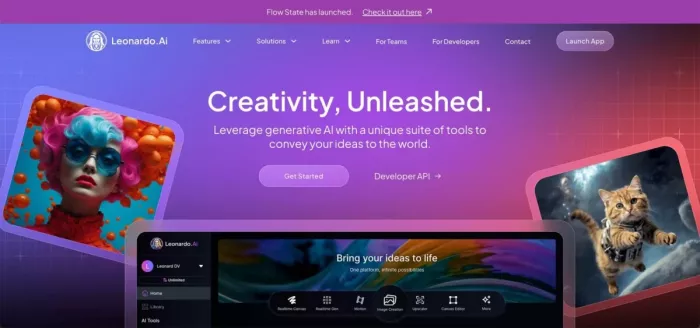
Leonardo AI works more like a creative studio than a basic image generator. It combines image generation with editing tools such as AI Canvas for inpainting and outpainting, custom model training, and expanding video generation features.
Its free tier gives 150 daily tokens, enough for roughly 20 to 30 basic images, while paid plans add private generation, faster processing, more tokens, concurrent jobs, and rollover options. Presets like Phoenix, Anime, Cinematic, and Concept Art also make it easier to control style without writing complex prompts.
Advantages and Limitations
| Advantages | Limitations |
| AI Canvas provides best built-in editing experience for refinement | Token costs vary significantly by task complexity making budgeting hard |
| 150 free daily tokens make it accessible for testing and light use | Video generation consumes tokens rapidly reducing overall capacity |
| Custom model training and multiple fine-tuned presets for style control | Unlimited relaxed generation queue times slow during peak hours |
| Private generation and commercial rights on paid plans | Token rollover helps but doesn't eliminate monthly planning uncertainty |
| Strong for game assets, character design, and detailed concept art | Interface more complex than Canva or simpler generation tools |
Pricing Structure
| Plan | Monthly Price | Tokens | Key Features |
| Free | $0 | 150 daily | Basic generation tools, public generations only |
| Apprentice | $12/month | 8,500 monthly | Private generations, full commercial rights |
| Artisan | $30/month | 25,000 monthly | Faster generation queue, more concurrent jobs |
| Maestro | $60/month | 60,000 monthly | Maximum concurrent jobs, highest priority queue |
Best For
Leonardo AI serves artists, designers, and creative professionals who need both generation and editing tools in one platform. If you work on game assets, character design, or detailed concept art where iteration and refinement matter as much as initial generation quality, Leonardo's fine-tuned models and canvas tools are built specifically for that workflow.
8. Freepik AI Suite : The Stock Library Integration
What Freepik AI Suite Delivers
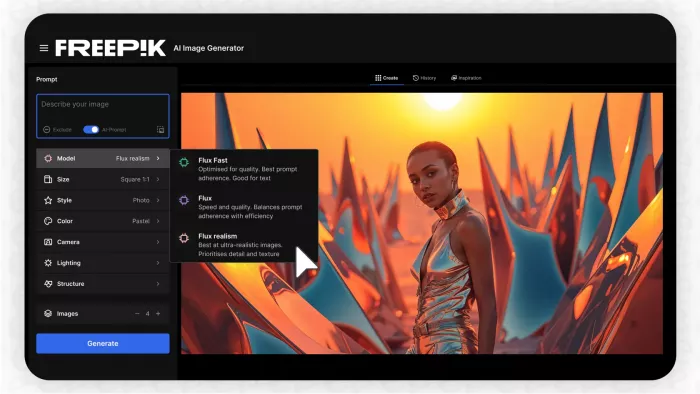
Freepik has grown from a stock asset library into a broader AI creative suite. It now combines its large collection of stock photos, vectors, illustrations, and templates with AI tools for image generation, video creation, voice, music, sound effects, and editing.
Its biggest strength is the mix of ready-made assets and AI production tools in one place. Users can generate visuals, remove backgrounds, upscale images with tools like Magnific and Topaz, train styles with LoRA, and use credits across different AI features. Premium+ and Pro plans also offer unlimited generation on select models, making it useful for high-volume creative work.
Advantages and Limitations
| Advantages | Limitations |
| Combination of 200+ million stock assets with AI generation in one subscription | Credit system complex with wildly different consumption per model |
| Unified credits work across image, video, and audio AI tools | Different AI models consume 1 to 500 credits per image making costs unpredictable |
| Unlimited generation on Premium+ for 30+ selected models | Video generation consumes up to 2,600 credits making it expensive |
| Upscaling via Magnific and Topaz delivers production quality | Unlimited generation only covers selected models not premium engines |
| Essential plan at $9 monthly cheapest AI-enabled entry point | Stock access requires Premium tier at $20 monthly minimum |
Pricing Structure
| Plan | Monthly Price | Annual Price | Credits | Key Features |
| Free Trial | $0 | N/A | Limited credits | Testing without commitment |
| Essential | $9/month | $5.75/month | 7,000 monthly | AI tools only without stock access |
| Premium | $20/month | $12/month | 18,000 monthly | AI tools plus stock library access |
| Premium+ | $39/month | $24.50/month | 45,000 monthly | Unlimited on select models, full stock access |
| Pro | $250/month | $158.33/month | 300,000 monthly | Enterprise-level for high-volume production |
Best For
Freepik AI Suite excels for designers and content creators who need both stock assets and AI generation tools in one platform. If you currently pay for a stock subscription and a separate AI generator, Freepik's combined offering could simplify your technology stack and reduce total monthly costs while providing comprehensive creative capabilities.
Choosing the Right AI Design Tool for Your Workflow
The right AI graphic design tool depends on what you create, how you work, and your budget. Recraft is best for native vector and SVG output, Ideogram and Reve are stronger for readable text in designs, and Midjourney remains the top choice for artistic and editorial image quality. Adobe Firefly is the safer pick for commercial work, while Kittl and Leonardo AI are better for full design workflows with editing, branding, and concept creation tools.
For budget users, Freepik’s Essential plan offers a low-cost entry into AI editing, while Leonardo’s free tier remains one of the most generous options for image generation. There is no single best AI design tool in 2026 because a poster designer, brand designer, concept artist, and social media creator all need different things. The smartest approach is to test two or three tools that match your workflow, then choose the one that gives you usable production-ready results, not just impressive gallery outputs.



Comments