Landing pages are still one of the most important assets in digital marketing, but building high-converting pages now requires more than good design. Speed, message clarity, testing, and continuous optimization all matter. AI has changed this process by making page creation faster and smarter. The best AI landing page builders do not just save time. They help generate better copy, follow stronger conversion patterns, and improve performance with less manual effort. This guide breaks down eight of the most capable AI landing page tools in 2026, where each one stands out, and who each platform is best suited for.
1. Unbounce: The Conversion Optimization Powerhouse
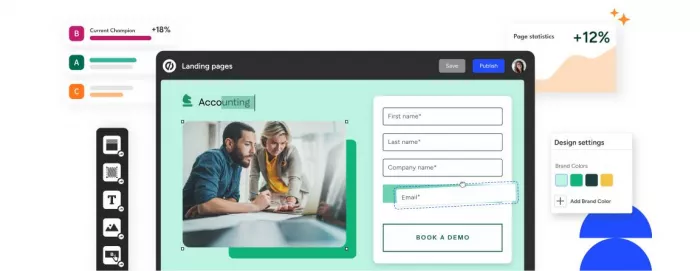
Unbounce has been in the landing page space for years, and its biggest strength is how tightly its AI features connect to conversion performance. It is built not just to help you create pages, but to help those pages improve over time.
Its Smart Builder generates layouts and copy from prompts based on your offer and audience. The output generally follows proven conversion structures, with clear hierarchy, benefit-led messaging, and strong CTA placement.
The standout feature is Smart Traffic. Instead of showing every visitor the same variation, it uses signals like device, location, and traffic source to send each user to the version most likely to convert. That makes it more dynamic than standard A/B testing and especially valuable for paid campaigns. Unbounce also includes dynamic text replacement, which helps align page messaging with ad keywords or traffic source.
The editor still gives teams full control after generation, and its integrations with major ad platforms make it particularly strong for performance marketers who want to connect campaign data with landing page outcomes.
| Pros | Cons |
| Smart Traffic automatically optimizes which page variant each visitor sees based on likelihood to convert | Higher pricing compared to newer competitors—entry plan starts at $99 monthly |
| AI copywriting tools generate conversion-focused headlines and content based on extensive conversion data | Smart Traffic requires Optimize plan at $199/month, not available on base tier |
| Deep integrations with major advertising platforms for seamless campaign tracking | Learning curve steeper than simpler builders—full feature set takes time to master |
| Dynamic text replacement personalizes content based on visitor source and keywords | Traffic caps at lower tiers (20,000 visitors on Build plan) can become restrictive |
| Extensive template library with proven high-converting designs across industries | Some users report the interface feels dated compared to newer visual-first builders |
Unbounce Pricing:
| Plan | Price | Key Features |
| Build | $99/month (annual) | Core landing page builder, unlimited pages, 20,000 visitors, basic integrations, popups and sticky bars |
| Experiment | $149/month (annual) | Everything in Build plus Smart Traffic AI routing, A/B testing, 30,000 visitors, dynamic text replacement |
| Optimize | $249/month (annual) | Everything in Experiment plus 50,000 visitors, advanced integrations, client management, AMP pages |
| Concierge | Custom pricing | Enterprise features, dedicated success manager, migration support, custom visitor limits |
Unbounce is best for teams running paid campaigns where even small conversion gains can justify higher software costs. For lighter use cases, the price can feel steep.
2. Leadpages: Unlimited Traffic Without Overage Anxiety
Leadpages takes a simpler and more budget-predictable approach. Its biggest advantage is unlimited traffic on every plan, which removes the risk of extra charges as campaigns grow.
Its AI features focus on faster page setup and practical optimization help. You enter the basics of your offer, and the platform builds a landing page with the right structure, copy, and sections. Leadmeter then reviews the page in real time and suggests improvements based on conversion best practices.
A/B testing starts at the Pro tier, and Leadpages also includes lead capture tools like LeadDigits and LeadLinks, which expand how businesses collect signups beyond standard forms. Another practical advantage is that Leadpages can support websites and blogs too, making it useful for businesses that want fewer separate tools.
| Pros | Cons |
| Unlimited traffic on all plans eliminates overage fee anxiety as campaigns scale | AI features less sophisticated than platforms that launched AI-first |
| A/B testing included even on Standard plan without feature gating | Page limits on Standard plan (5 pages) force quick upgrades for growing businesses |
| Leadmeter provides real-time conversion optimization guidance during page building | Design customization somewhat limited compared to more flexible builders like Instapage |
| LeadDigits and LeadLinks offer unique lead capture methods beyond standard forms | Integration ecosystem narrower than established players—some tools require workarounds |
| Website and blog functionality included, eliminating need for separate platforms | Templates, while professional, haven't been refreshed as frequently as competitors |
Pricing and Plan Structure:
| Plan | Price | Key Features |
| Standard | $49/month ($37/month annual) | 5 landing pages, unlimited traffic, 1 custom domain, standard integrations, popups and alert bars |
| Pro | $99/month ($74/month annual) | Unlimited pages, unlimited traffic, 3 custom domains, A/B testing, online sales and payments, 10 LeadDigits campaigns |
| Advanced | $697/month (monthly only) | Everything in Pro plus 5 sub-accounts for team, 50 LeadDigits campaigns, advanced integrations (Salesforce, HubSpot), priority support |
Leadpages fits small and mid-sized businesses that want predictable pricing and solid core functionality. It is less advanced than some competitors, but often easier to justify.
3. Instapage: Enterprise-Grade Optimization at a Premium
Instapage is aimed at larger teams running complex campaigns where testing, personalization, and collaboration all matter. It is less about fast DIY page creation and more about operational control at scale.
The builder offers pixel-level design flexibility, while AI can help generate headlines, body copy, and calls to action. Its real strength comes from optimization tools like heatmaps and A/B testing, which help teams see exactly how users behave and where pages lose attention.
AdMap is another major advantage for ad-heavy teams. It visually connects ads to landing pages, making it easier to keep message match intact across campaigns. Collaboration tools, approval workflows, and Global Blocks also make Instapage valuable for organizations with multiple stakeholders and many pages to manage.
| Pros | Cons |
| Pixel-perfect design control allows precise visual execution beyond block builders | Expensive entry point at $99/month makes it inaccessible for smaller budgets |
| Heatmaps and behavior analytics show exactly how visitors interact with pages | Best features (A/B testing, heatmaps, personalization) require Optimize plan at $199+ monthly |
| Collaboration workflows with comments and approvals streamline team review processes | Visitor limits even on higher plans create potential overage costs as traffic scales |
| Global Blocks maintain brand consistency across multiple pages with single-source updates | Steeper learning curve than simpler builders—full value requires investment in training |
| AdMap visualization ensures advertising and landing page message consistency at scale | Some users report customer support response times don't match premium pricing expectations |
Instapage Pricing:
| Plan | Price | Key Features |
| Create | $99/month ($79/month annual) | Landing page builder, AI content generation, 15,000 visitors monthly, 1 workspace, 10 team members, 2 subdomains |
| Optimize | $199/month ($159/month annual) | Everything in Create plus A/B testing, heatmaps, 50,000 visitors, 5 workspaces, 10 subdomains, dynamic text replacement |
| Convert | Custom pricing | Everything in Optimize plus custom visitor limits, advanced personalization, dedicated support, SSO, compliance features |
Instapage makes the most sense for teams where better landing page performance can easily offset premium pricing. For smaller marketers, it may be more platform than necessary.
4. Framer: Design-First AI for Visual Perfection
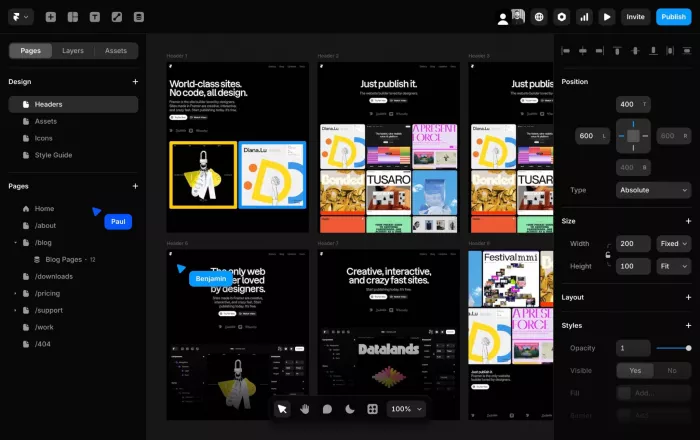
Framer is the most design-led option in this list. It started in the design world, and that gives it a very different feel from more marketing-first landing page builders.
Its AI Wireframer can generate polished landing page layouts from short prompts, often with strong typography, spacing, and modern visual structure from the start. Framer’s biggest advantage is creative freedom. Teams can build interactions, animations, and polished page experiences that feel far more custom than what most standard builders allow.
The editor feels closer to Figma than a traditional page builder, which is excellent for designers but can be more demanding for marketers without visual design experience. Framer also includes a CMS, making it useful for full marketing sites, not just single landing pages. The tradeoff is that responsive behavior often needs more manual handling.
| Pros | Cons |
| Figma-like visual editor gives designers precise creative control over every element | Responsive design requires manual adjustment for different screen sizes |
| Animation and interaction capabilities create sophisticated, modern page experiences | Steeper learning curve for pure marketers without design backgrounds |
| AI generates professional-looking designs immediately with strong typography and spacing | Conversion optimization features less developed than marketing-focused platforms |
| Built-in CMS supports dynamic content and entire marketing sites beyond single pages | Per-project editor pricing can become expensive for agencies managing multiple clients |
| Integration with design tools makes it natural for teams already using Figma workflows | Less emphasis on A/B testing and conversion analytics compared to Unbounce or Instapage |
Typical Pricing Snapshot:
| Plan | Price | Key Features |
| Free | $0/month | Full design editor, 10 CMS collections, 1,000 pages in design mode, 3 editors, .framer.website subdomain only |
| Basic | $10/month (annual) | 30 pages, 1 CMS collection, 1,000 CMS items, 10 GB bandwidth, 1 free custom domain, 1 editor included |
| Pro | $30/month (annual) | 300 pages, 10 CMS collections, 10,000 CMS items, 200 GB bandwidth, 10 editors included, advanced analytics |
| Scale | $100/month (annual) | 500+ pages, 40 CMS collections, 40,000 CMS items, 2 TB bandwidth, 10 editors included, usage-based pricing for overages |
Framer is ideal for design-led companies, creative teams, and brands that care deeply about visual presentation. For pure performance marketing, other tools may deliver more practical value.
5. Wix: AI Accessibility for Everyone
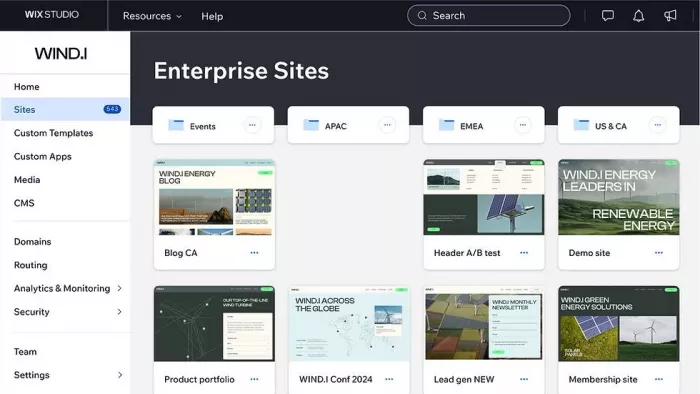
Wix is one of the easiest ways for non-technical users to build websites and landing pages with AI support. Its strength is simplicity and breadth rather than deep specialization.
The AI setup is conversational. You describe your business, goals, and audience, and Wix generates a site accordingly. It can also create copy, images, and page sections, which makes it especially approachable for beginners.
Wix is also an all-in-one platform. It supports blogs, e-commerce, booking, email marketing, and a large app ecosystem, which makes it useful for small businesses that want one central platform. The tradeoff is that it is less optimized for landing page testing and performance than specialist tools, and mobile design often requires extra adjustment.
| Pros | Cons |
| Conversational AI chatbot makes page creation accessible to complete beginners | Slower page load speeds compared to more performance-optimized builders |
| Generates both design and content including copy, images, and complete page sections | Cannot switch templates after publishing without rebuilding entire site |
| 800+ app integrations support extensive business functionality beyond landing pages | Mobile design requires manual adjustment rather than automatic responsive adaptation |
| Free plan includes full AI features for testing before committing to paid subscription | E-commerce limited to 50,000 products with transaction fees on lower tiers |
| All-in-one platform includes email marketing, booking, blog, and ecommerce capabilities | Some users report billing practices and renewal notifications could be clearer |
Pricing Details:
| Plan | Price | Key Features |
| Free | $0/month | AI website builder and tools, limited storage, Wix ads and branding, .wixsite.com subdomain |
| Light | $17/month (annual) | Custom domain, remove ads, 2 GB storage, basic marketing tools, 2 collaborators |
| Core | $29/month (annual) | Everything in Light plus e-commerce (50,000 products), accept payments, loyalty programs, marketing suite |
| Business | $36/month (annual) | Everything in Core plus advanced e-commerce features, priority support, custom reports |
| Business Elite | $159/month (annual) | Everything in Business plus unlimited storage, VIP support, enterprise features |
Wix works best for freelancers, entrepreneurs, and small businesses that want ease of use plus a broader website platform. It is less compelling for teams focused only on conversion optimization.
6. Landingi: Agency-Scale Volume Production
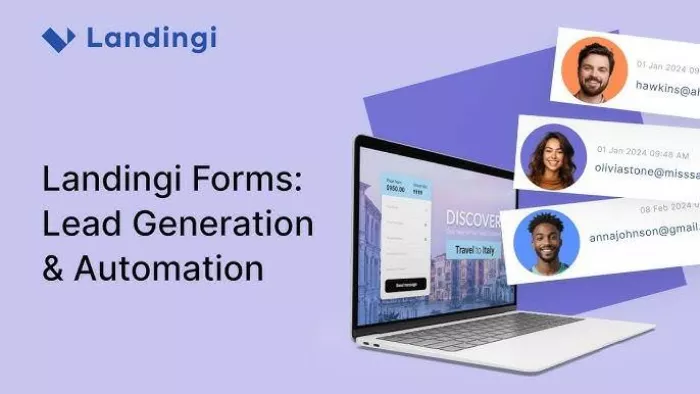
Landingi is built for volume. Its strength is helping teams and agencies create many landing pages efficiently rather than giving them the most advanced design or testing environment.
Its AI tools speed up repetitive work. AI Composer generates sections, AI Text Generator creates copy variants, and AI SEO Generator handles meta details. EventTracker is one of its strongest features because it records detailed on-page behavior without requiring outside analytics setup.
Smart Sections also make Landingi practical for agencies. Teams can reuse shared sections across many pages and update them centrally, which saves time and improves consistency.
| Pros | Cons |
| EventTracker provides granular visitor behavior analytics without external tool setup | AI features primarily accelerate production rather than generating complete pages |
| Smart Sections maintain consistency across multiple pages with automatic updates | Less design flexibility than pixel-perfect builders for custom brand expressions |
| White-label options and sub-accounts make it practical for agency client management | Interface can feel overwhelming initially due to extensive feature set |
| 170+ integrations connect with most marketing, CRM, and analytics platforms | Templates, while extensive, may feel generic compared to design-first platforms |
| Campaign-focused organization helps manage multiple concurrent projects effectively | Pricing structure can become expensive as team size and conversion volume increase |
Pricing Structure:
| Plan | Price | Key Features |
| Lite | $29/month (annual) | 10 landing pages, 5,000 conversions monthly, 1 custom domain, basic integrations |
| Professional | $65/month (annual) | 50 landing pages, 50,000 conversions, 5 custom domains, A/B testing, advanced integrations |
| Agency | $89/month (annual) | 200 landing pages, 100,000 conversions, 10 custom domains, 5 sub-accounts, white-label, priority support |
| Unlimited | Custom pricing | Unlimited pages and conversions, custom domains, dedicated support, enterprise features |
Landingi makes the most sense for agencies and in-house campaign teams managing large numbers of landing pages. For smaller operators, it can feel like too much system for the job.
7. LanderLab: AI-Native Landing Pages and Quiz Funnels
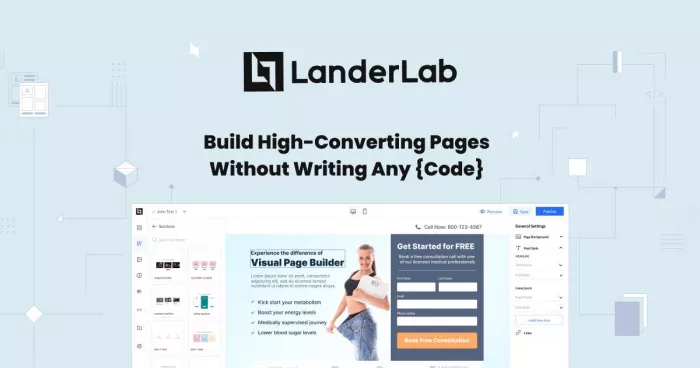
LanderLab is one of the more AI-native tools in this category. It is designed for speed, but its real edge is lead qualification.
The platform can generate full landing pages from a single prompt, which makes it fast to launch campaigns. Its bigger differentiator is quiz funnels. These let marketers qualify leads through multi-step experiences with conditional logic, so users see different paths depending on their answers.
That makes LanderLab especially useful for service-based industries where lead quality matters more than raw volume. Features like Map View and AI Lead Insights also help teams understand funnel flow and spot where conversions drop off.
| Pros | Cons |
| AI generates complete pages and quiz funnels from single prompts, dramatically reducing build time | Newer platform with smaller user base and fewer established integration partnerships |
| Quiz funnel builder with conditional logic qualifies leads while collecting information | Template library smaller than established competitors with decade-plus histories |
| Map View visualizes entire funnel flows for easy understanding and optimization | Less brand recognition than established names may matter to some enterprise buyers |
| No feature gating—core capabilities available from base plan without tier restrictions | Performance track record shorter than platforms with years of conversion data |
| Page import from URL or ZIP file simplifies migration from other platforms | Fewer third-party reviews and case studies available for independent validation |
Pricing and Plan:
| Plan | Price | Key Features |
| Starter | $89/month (annual) | AI page and quiz builder, unlimited landing pages, 30,000 visitors, A/B testing, conditional logic, analytics |
| Professional | $179/month (annual) | Everything in Starter plus 100,000 visitors, 5 workspaces, priority support, advanced integrations |
| Agency | $359/month (annual) | Everything in Professional plus 300,000 visitors, 15 workspaces, white-label, dedicated account manager |
LanderLab is best for marketers who want AI speed plus better lead qualification. If you only need a simple page and form, a more established builder may be enough.
8. B12: Full-Service AI Website Generation
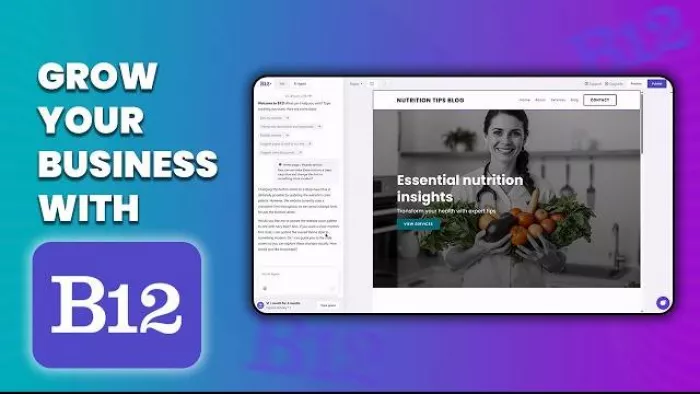
B12 takes a different route by combining AI generation with human help. Instead of stopping at automated page creation, it also gives businesses access to designers and copywriters who can refine the result.
Its AI can generate a full website with landing pages, copy, images, and structure based on a short description of the business. The added professional layer helps remove some of the generic feel that fully automated platforms can produce.
B12 also includes SEO, email marketing, scheduling, and basic CRM tools, which makes it a more complete business website solution rather than a pure landing page builder.
| Pros | Cons |
| Combines AI speed with human designer and copywriter expertise for quality refinement | Higher pricing than pure self-service platforms reflects included professional services |
| Generates complete websites including multiple landing pages in single workflow | Less control over specific page elements compared to manual builders |
| Built-in SEO optimization during AI generation rather than requiring manual setup | Professional services may introduce wait times compared to instant AI generation |
| Integrated email marketing eliminates need for separate automation platform | Not as specialized for conversion testing as dedicated landing page platforms |
| Suitable for complete business web presence beyond isolated landing pages | Template variety somewhat limited compared to platforms with extensive libraries |
Pricing Structure:
| Plan | Price | Key Features |
| Basic | $49/month (annual) | AI-generated website, basic landing pages, contact forms, mobile optimization, hosting and security |
| Professional | $199/month (annual) | Everything in Basic plus email marketing, appointment scheduling, professional design review, SEO optimization |
| Advanced | $299/month (annual) | Everything in Professional plus e-commerce capabilities, advanced integrations, priority support, custom development |
B12 fits service-based businesses that want AI speed without doing everything themselves. It is less specialized for performance testing, but strong for complete web presence creation.
Choosing the Right Tool for Your Needs
There is no single best AI landing page builder for everyone. The right choice depends on workflow, budget, design priorities, and campaign type.
● Choose Unbounce for paid ads and conversion optimization.
● Choose Leadpages for predictable pricing and unlimited traffic.
● Choose Instapage for enterprise testing and collaboration.
● Choose Framer for design quality and interactive experiences.
● Choose Wix for ease of use and all-in-one website building.
● Choose Landingi for high-volume campaign production.
● Choose LanderLab for quiz funnels and lead qualification.
● Choose B12 for AI generation with professional human refinement.
Verdict : Making Your Decision
The value of an AI landing page builder is not just in how fast it builds pages. It is in whether those pages help improve business outcomes. That means the decision should start with your real use case, your team’s skill set, your integration needs, and your actual budget.
A cheaper tool may end up costing more once you factor in traffic, add-ons, or missing capabilities. A more advanced tool may be wasted if your team will not use the depth it offers. The best way to decide is to test with a real page and a real campaign. The right tool should make launch, optimization, and scaling noticeably easier.



Comments